
Manage Assignments
Full Control over Assignment Creation, Settings, and Monitoring
The Manage Assignments menu is designed to provide ease for educators in compiling, scheduling, and managing all student assignment activities efficiently and completely. An intuitive and systematic interface helps users to set assignment parameters clearly and structured.
Key Features
-
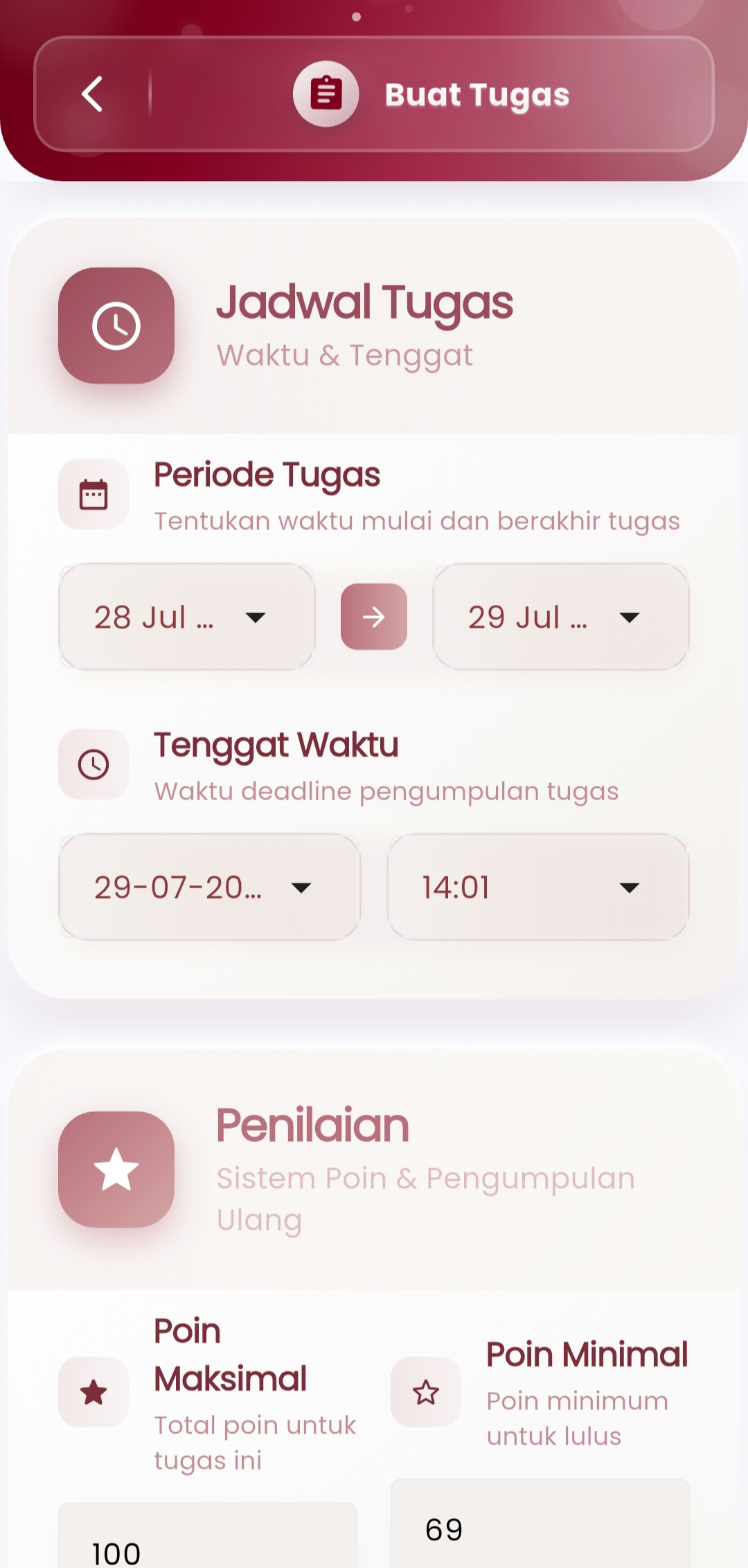
Assignment Schedule
Set the assignment period by determining:
- Assignment start & end date
- Submission deadline up to the precise minute
This makes it easier for teachers to manage the learning rhythm and ensure students are disciplined about deadlines.
-
Automatic Grading
Flexible grading system that allows settings:
- Maximum Points — highest total score obtainable
- Minimum Points — passing grade threshold
- Support for assignment resubmission (if enabled)
-
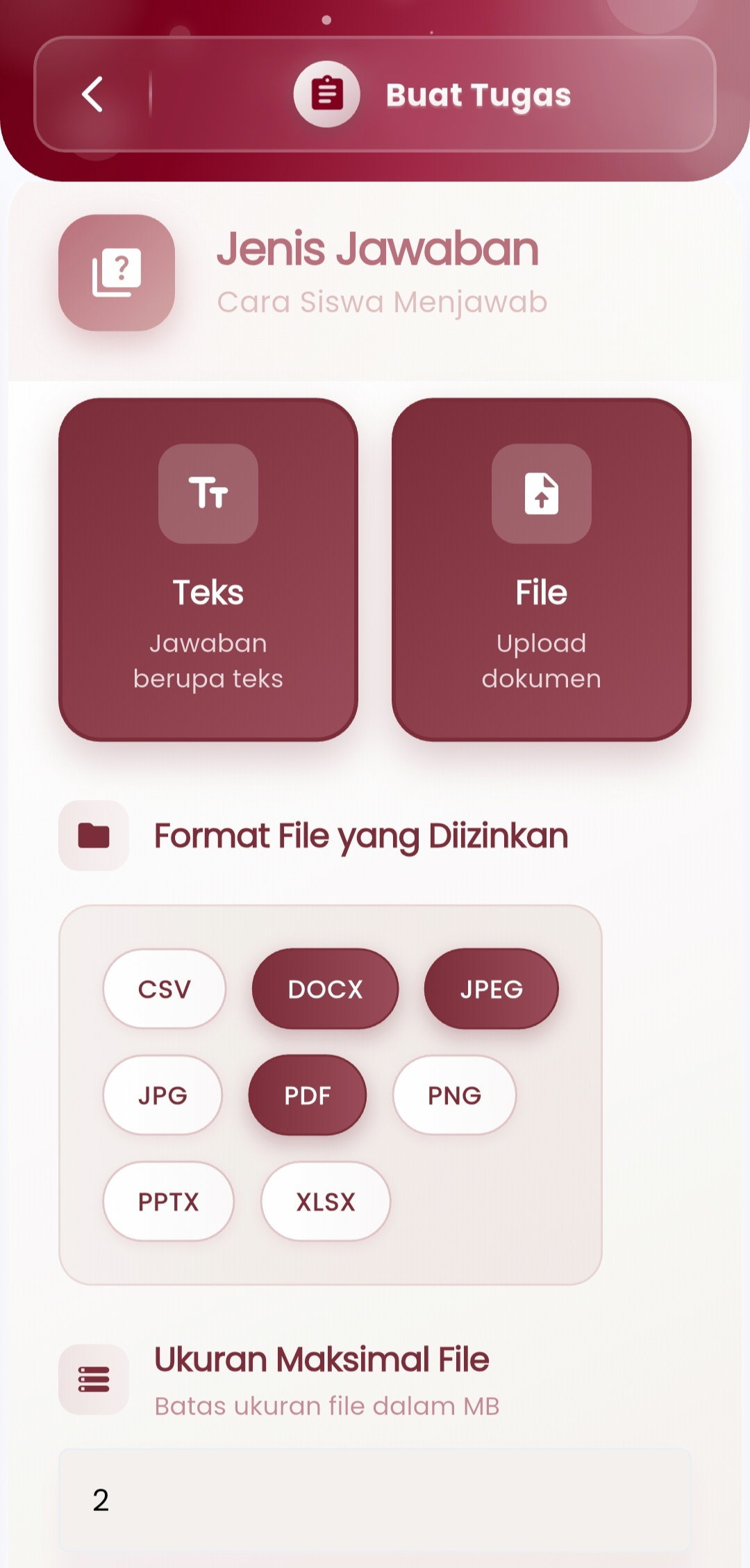
Answer Types
Choose the method students use to answer:
- Text — type the answer directly
- File — upload documents with allowed formats such as PDF, DOCX, JPEG, and others
-
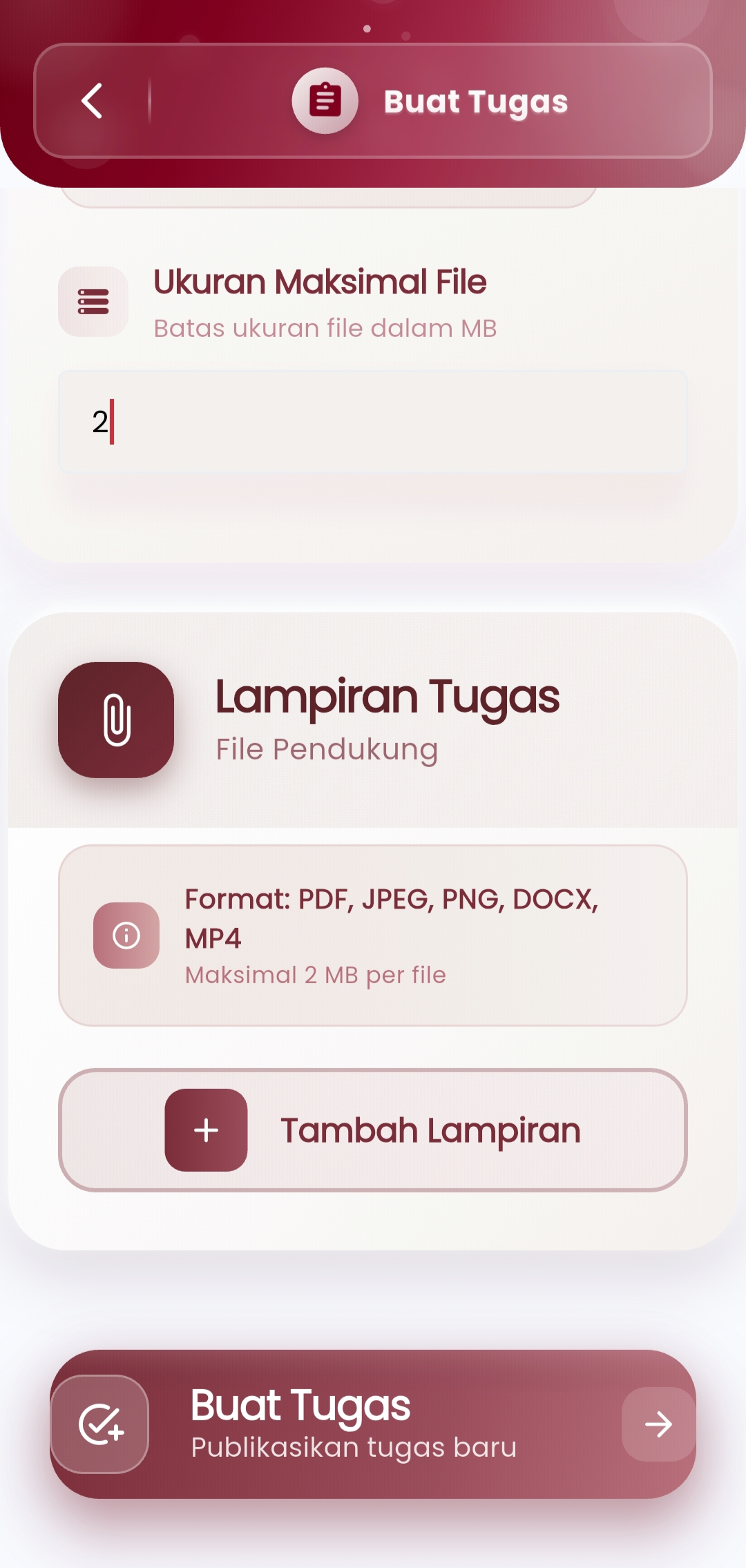
Assignment Attachments
Add supporting files (PDF, JPEG, DOCX, MP4, etc.) as references or supplementary material sources with a configurable maximum size limit per file (e.g. 2MB).
-
Assignment Publication
With a single touch of the "Create Assignment" button, teachers can:
- Publish assignments to specific classes or students
- Review all parameters before sending
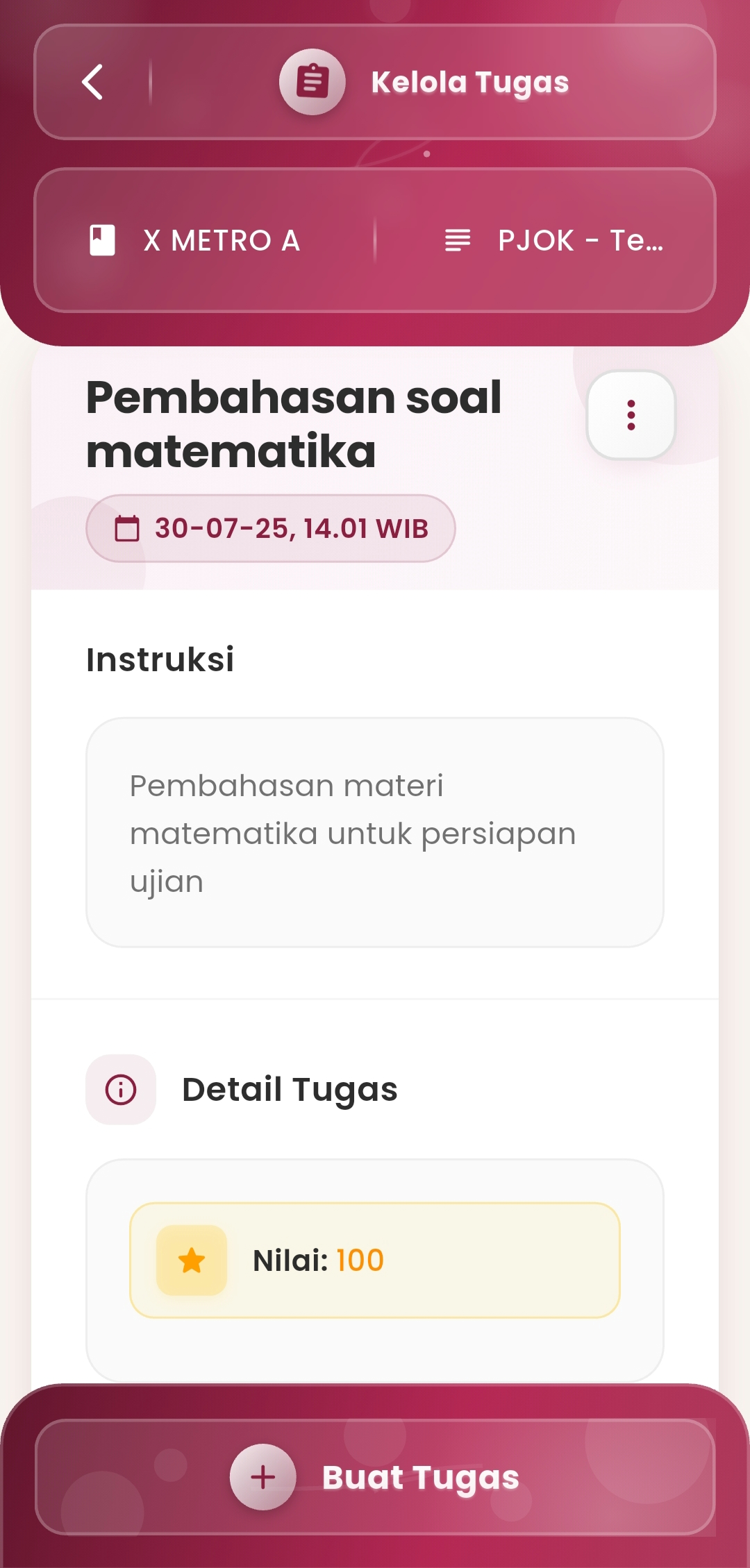
Assignment Details
The system displays a summary of information about:
- Assignment name
- Assignment instructions
- Assigned grade
- Publication date
This view allows teachers to review and update assignments quickly and efficiently.
If you need further assistance, contact us through the eSchool Help Page.