
Teacher Schedule
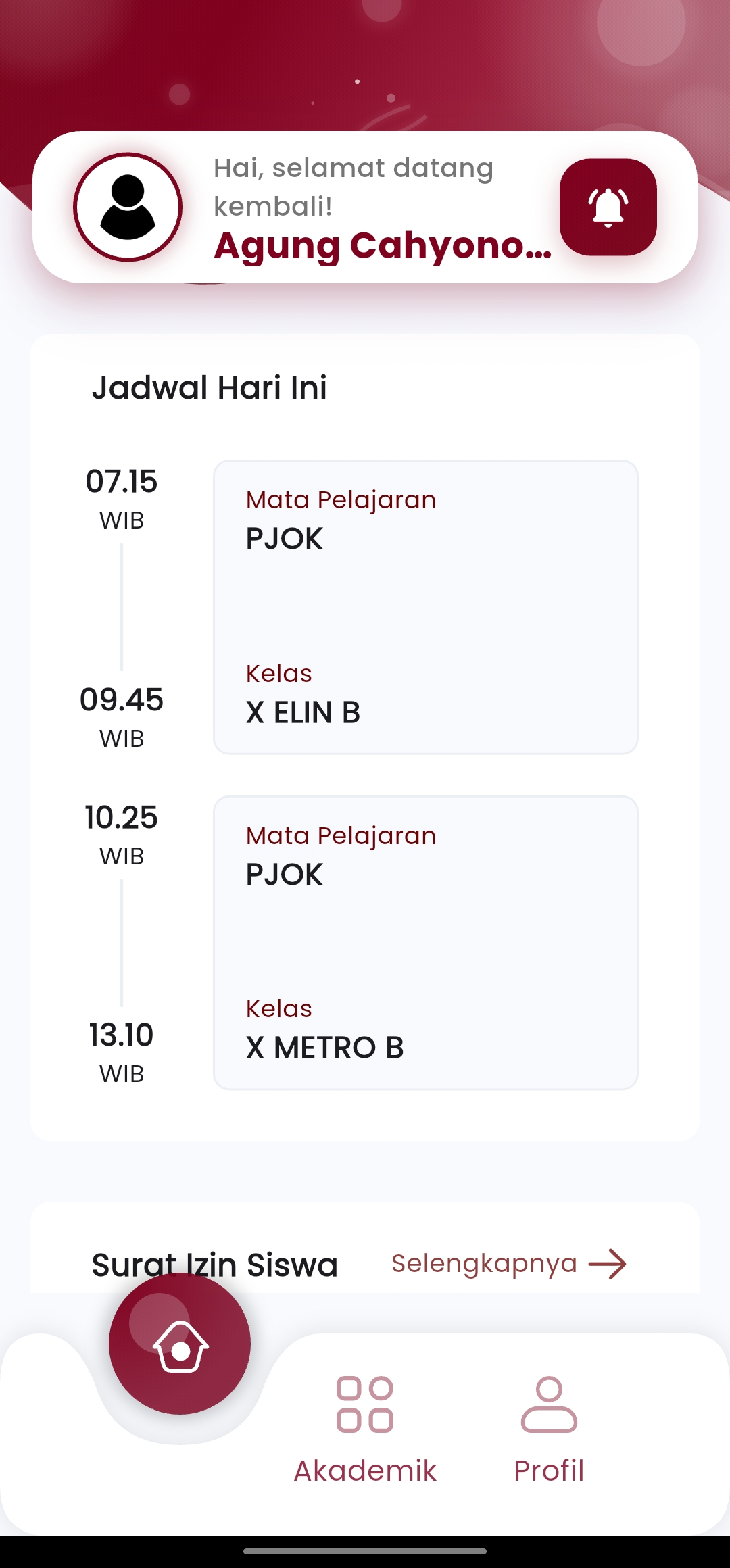
The "Teacher Schedule" menu in the eSchool Mobile application is a special feature for teachers to view and manage daily teaching schedules in real-time, directly from their grasp.
Key Features:
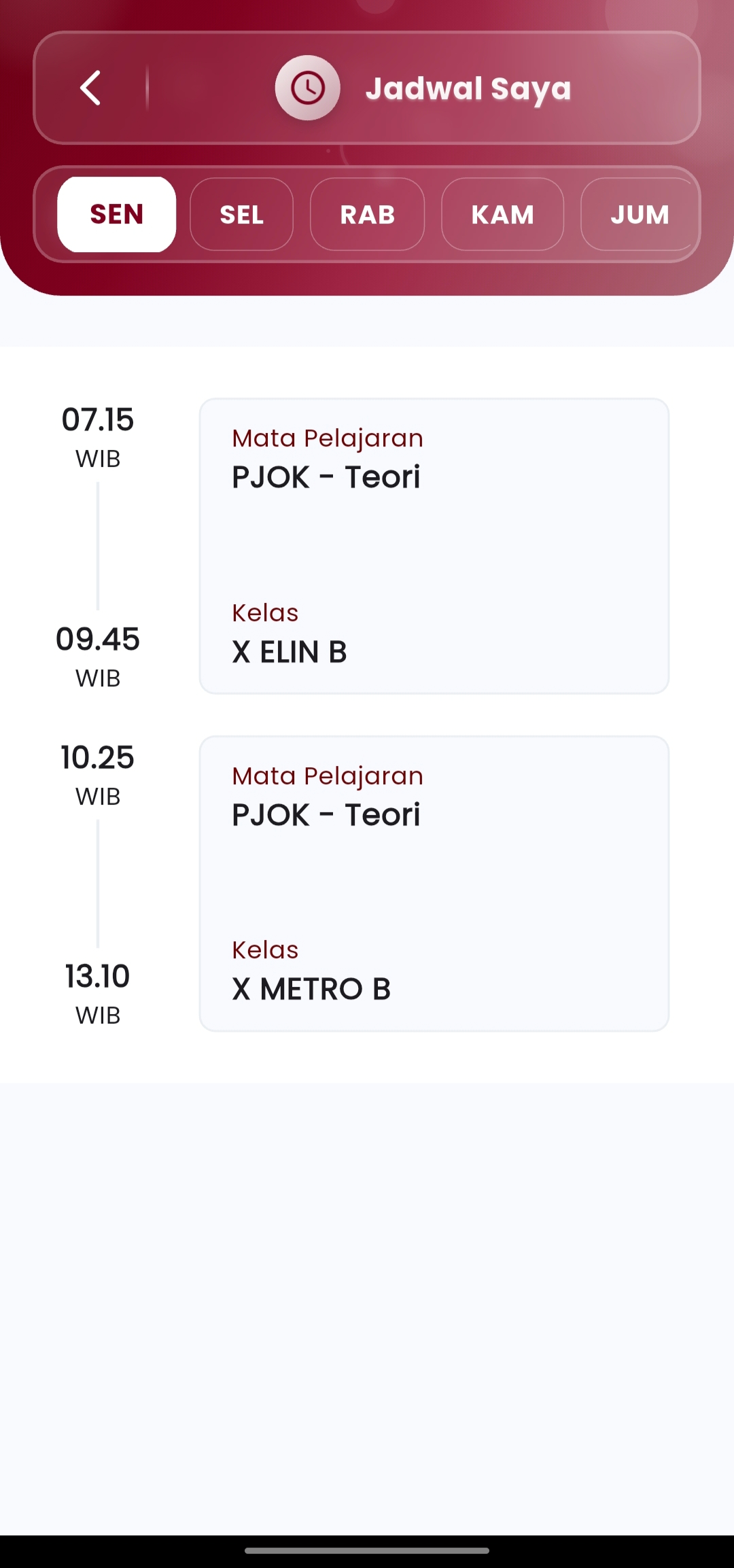
- Daily Navigation:
Select active days (Monday–Friday) to display teaching schedules on that day. - Clear Time Range:
Schedules are displayed vertically by hour, making them easy to read and follow. - Complete Information per Session:\
- Lesson Hour (e.g. 07.15 WIB)
- Subject (e.g. PJOK – Theory)
- Class Name (e.g. X ELIN B or X METRO B)
Benefits for Teachers:
- Quick access to today's and other days' schedules
- No need to print manually or check the school schedule board
- Always ready when moving classes, even in the middle of activities
- Helps time management and teaching material preparation
Usage Suggestions:
- Use this feature every morning to see the order of classes today.
- Suitable to be paired with the "Assignments & Assessment" feature to give assignments directly to the class after the session is over.
- Make sure your application is always connected so that the schedule can be updated automatically by the school admin.
If you need further assistance, contact us through the eSchool Help Page.