
Issue: User Cannot Login
Account Not Registered
eSchool Mobile does not provide self-registration for individual users. The account activation process is conducted centrally through schools that have been officially registered by the eSchool team.
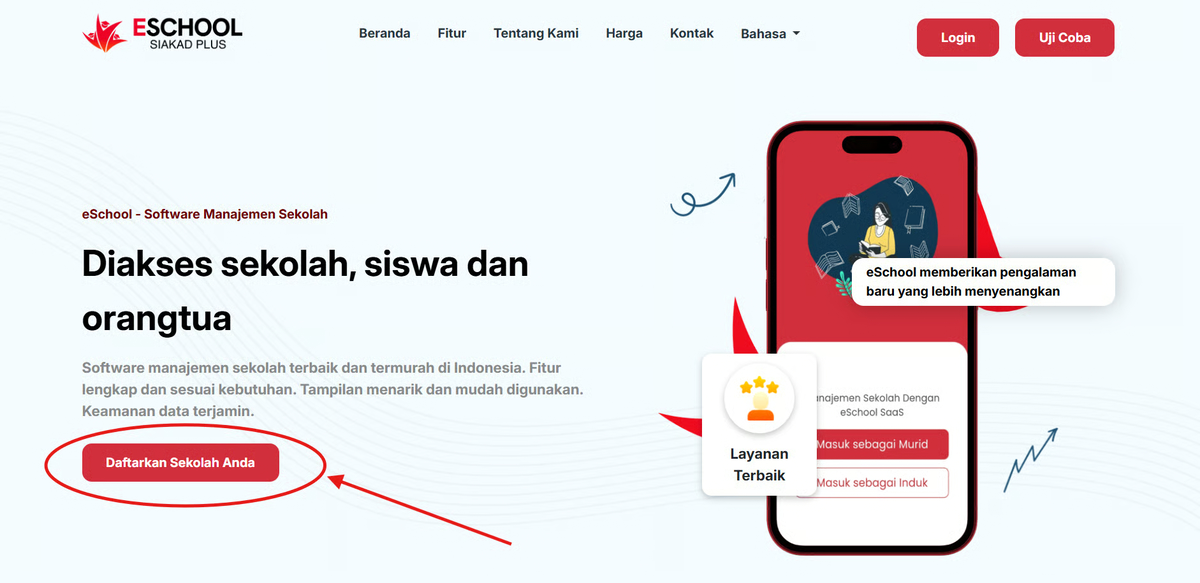
How to Access eSchool Mobile:
- The School must first register officially via the eSchool Siakad website by pressing the "Register Your School" button.
- After filling out the registration form, the eSchool team will handle the school activation process.
- The eSchool team will create a primary admin account for the principal/operator and provide initial login access.
- The School Admin can then create accounts for:
- Teachers
- Students
- Parents/Guardians
- User accounts will be sent via email or through the school's official communication media.
Logging into the Mobile Application
Once the account is created by the school admin:
- Download the eSchool Mobile app via:
- Google Play Store for Android devices
- Apple App Store for iOS devices
- Login using the official account provided by your school.
- Once successfully logged in, you can immediately use the features according to your role (teacher, student, or parent).
Important to Know
- There is no Sign Up feature directly from the app.
- Individuals (teachers/students/parents) cannot create their own accounts.
- The entire process of using eSchool must start from the school.
Need Help?
If you encounter issues logging in or do not have an account, please contact your school admin first.
For further assistance, please visit the eSchool Help Page or contact our support team through available official channels.