
Edit Profile
Update Your Personal Data Easily and Quickly
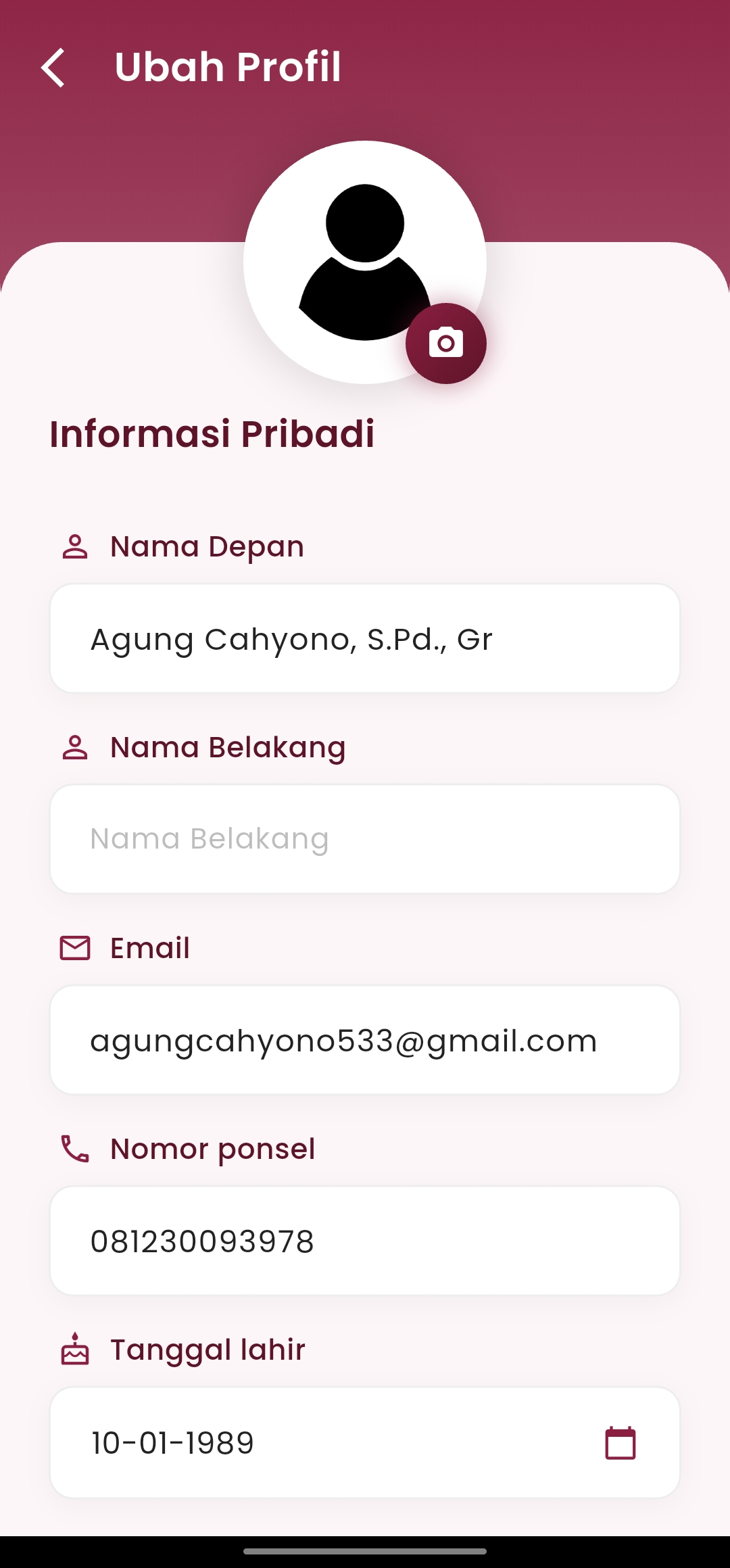
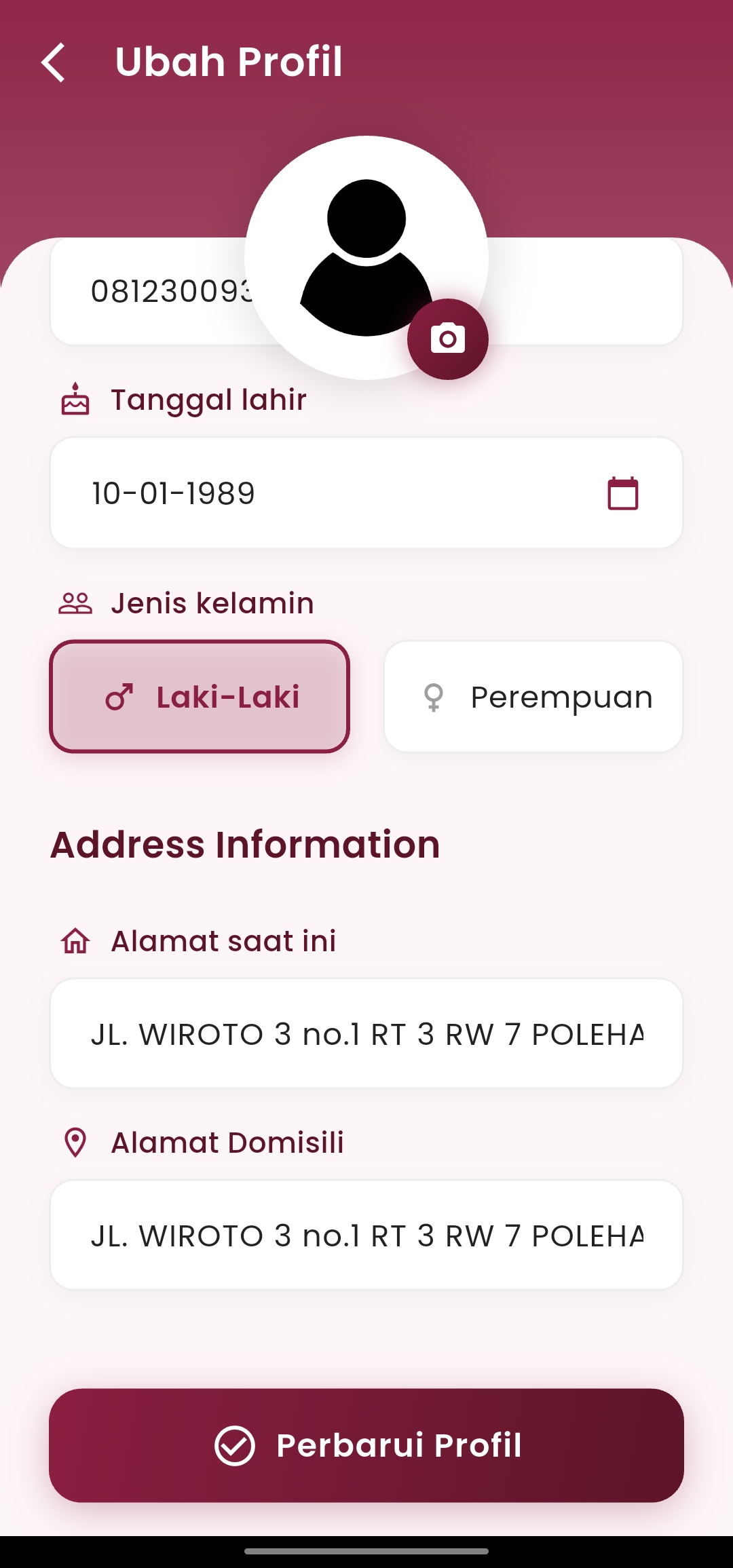
The Edit Profile menu is designed so that users can manage their personal information thoroughly, quickly, and securely. With a clean interface and intuitive navigation, users can update their data in just a few steps.
-
Personal Information
Structured form with data fields such as:
- First and Last Name
- Active Email for notification purposes
- Mobile Number for verification and emergency contact
- Date of Birth selectable via an interactive calendar
- Gender with visual button options
All information can be adjusted to the user's needs to reflect their current identity.
-
Full Address
Two separate fields help users enter:
- Current Address (active domicile)
- Permanent Address (permanent residence, if different)
This view supports accurate administrative data collection.
-
Profile Picture
Users can update their profile picture with a single touch on the camera icon located above the default avatar.
-
Securely Save Changes
By pressing the "Update Profile" button, all changes will be saved directly to the system and automatically synchronized to the user's account.
If you need further assistance, contact us through the eSchool Help Page.