
Salary Management
Manage and Monitor Teacher Payroll Practically and Transparently
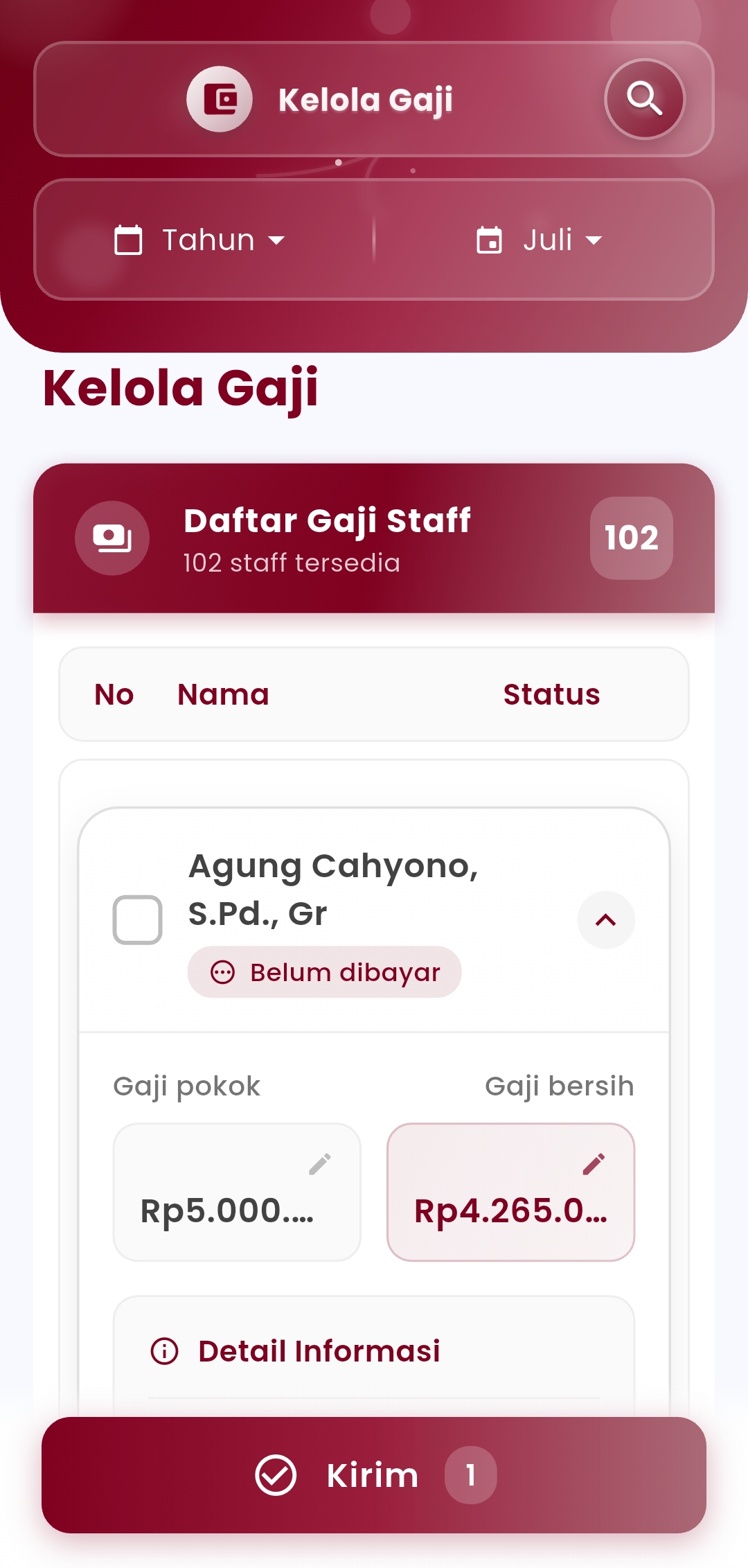
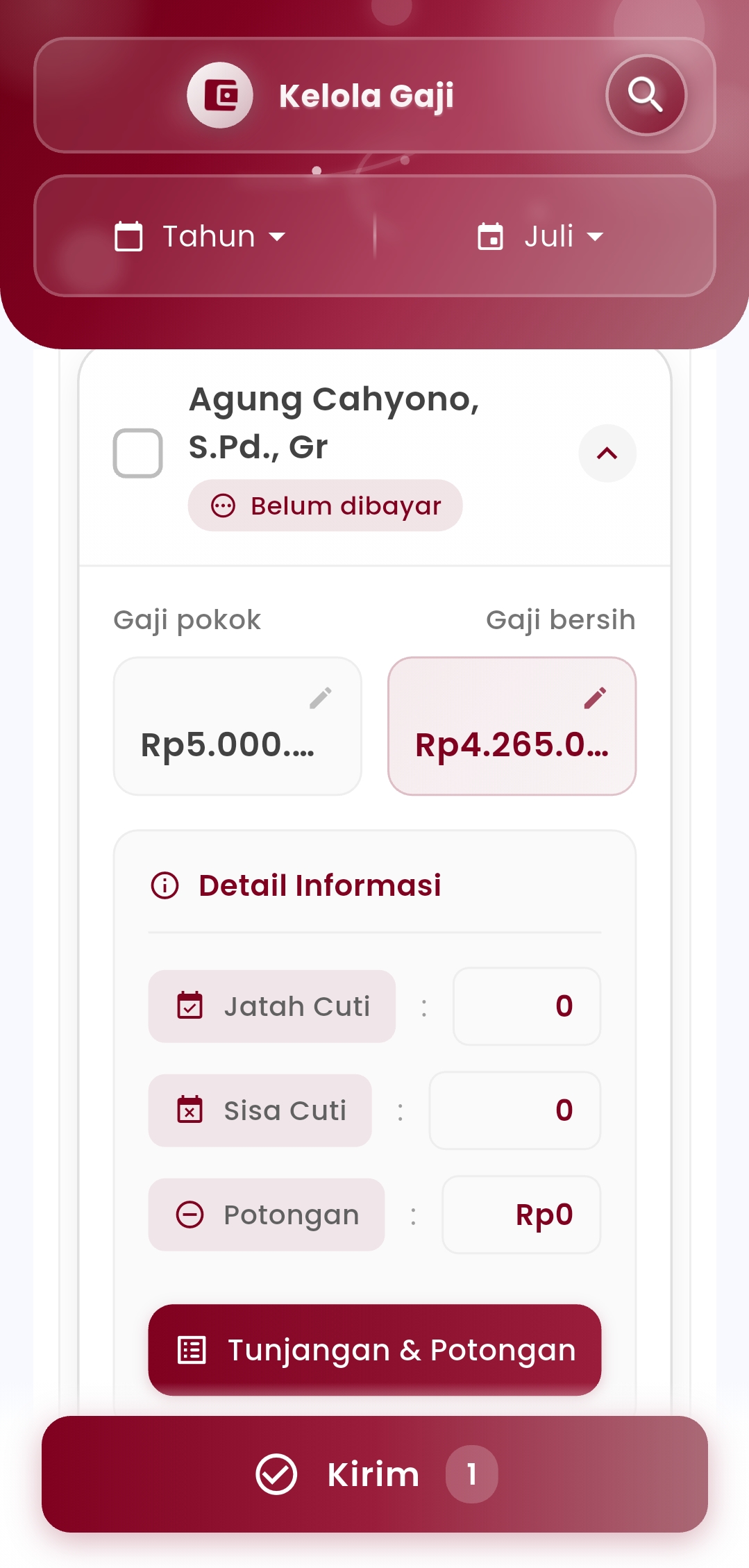
With this feature, users can directly view the payment status of each teacher (paid or unpaid), check base salary, net salary, and detailed allowances, deductions, as well as holiday information such as entitlements and remaining active holiday.
In addition, admins can also perform salary adjustments directly from the interface, ranging from editing amounts, adding or subtracting allowance-deduction components, to completing the salary disbursement process in bulk or individually. All is done in just a few simple steps, while maintaining accuracy and transparency.
Main Features
- Filter by Period: Select the year and month of the salary to be managed.
- Monitored Salary Status: See which teachers have or have not yet received their salary.
- Complete Salary Details: Display base salary, net salary, allowances, deductions, and holiday history.
- Direct Edit: Change values or salary components directly from the view without having to navigate to another page.
- Bulk Salary Disbursement: Mark and send salaries to multiple teachers at once.
- Guaranteed Transparency: Each teacher has a salary record that can be checked and accessed by authorized parties.
Benefits for Users
- Time efficiency: All important data is presented clearly, simplifying the monthly payroll process.
- High accuracy: Avoid manual input errors with real-time and customizable data views.
- Full control: Admins have total control over every salary payment component.
- Transparency and trust: Strengthens school professionalism in financial matters with teachers.
Note:
This menu is specialized for teacher payroll management. For non-teaching staff management, a separate module will be available if required.
If you need further assistance, contact us through the eSchool Help Page