
Paid Fees
Monitor and Manage Student Payments Easily
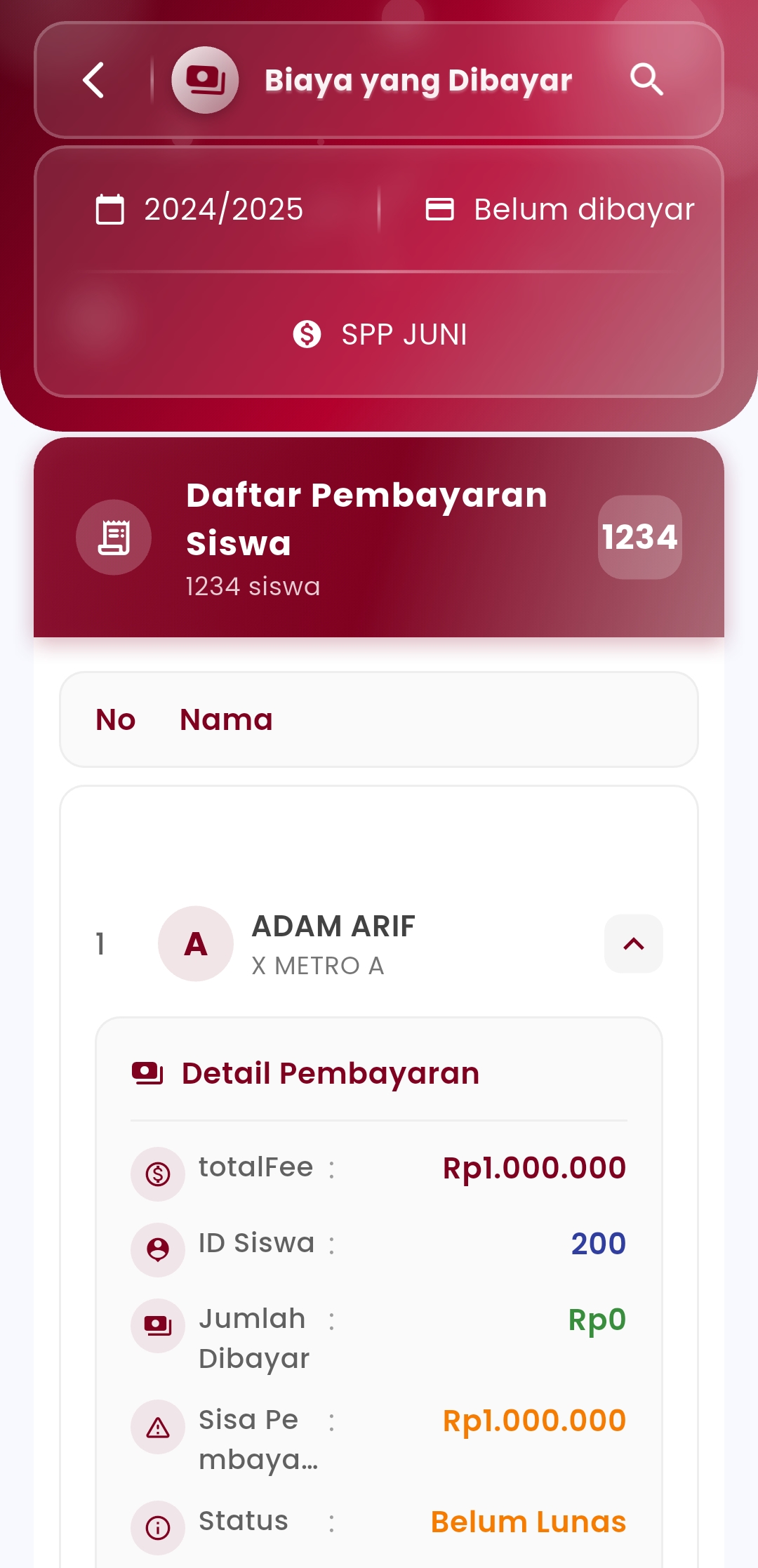
Track all student payment transactions in a structured and efficient manner in one view. This feature makes it easy for you to know the payment status of each student—whether fully paid or still having arrears.
Main Features:
- Year & Status Filters
Browse payment data based on the academic year and payment status (paid or unpaid). - Complete Payment List
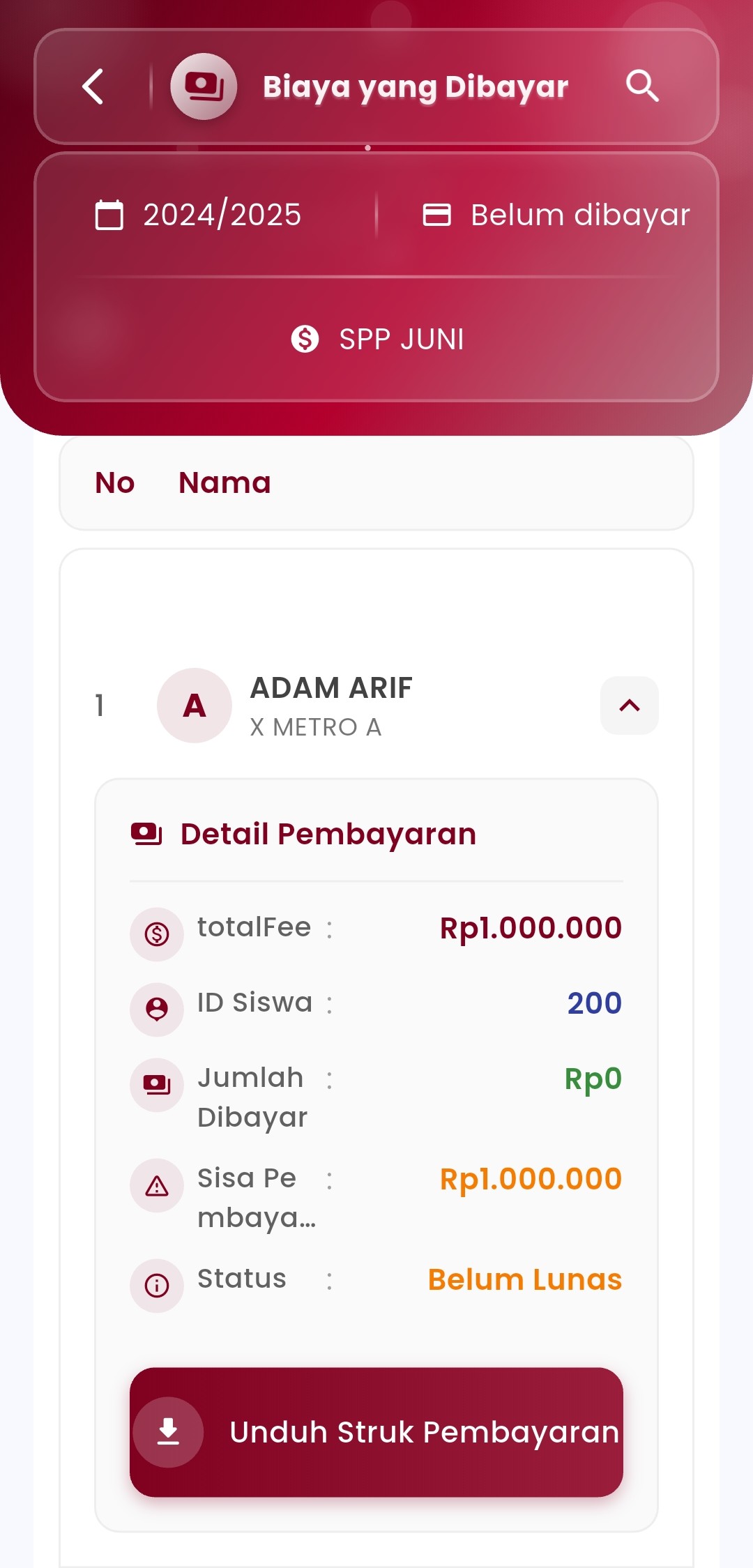
Display all students with payment information such as:- Total Fee
- Amount Paid
- Remaining Balance
- Status (Paid / Unpaid)
- Clear Payment Details
Each student has detailed payment information including student ID, class, and other specifics. - Download Payment Receipt
A dedicated button is available to download the payment receipt as digital proof of transaction.
Usage Example:
"With this feature, school admins can instantly identify which students have not yet paid their monthly fees for a specific month, without having to manually check each one by one."
If you need further assistance, contact us through the eSchool Help Page