
Allowances & Deductions
Monitor Additional Components and Salary Deductions Transparently
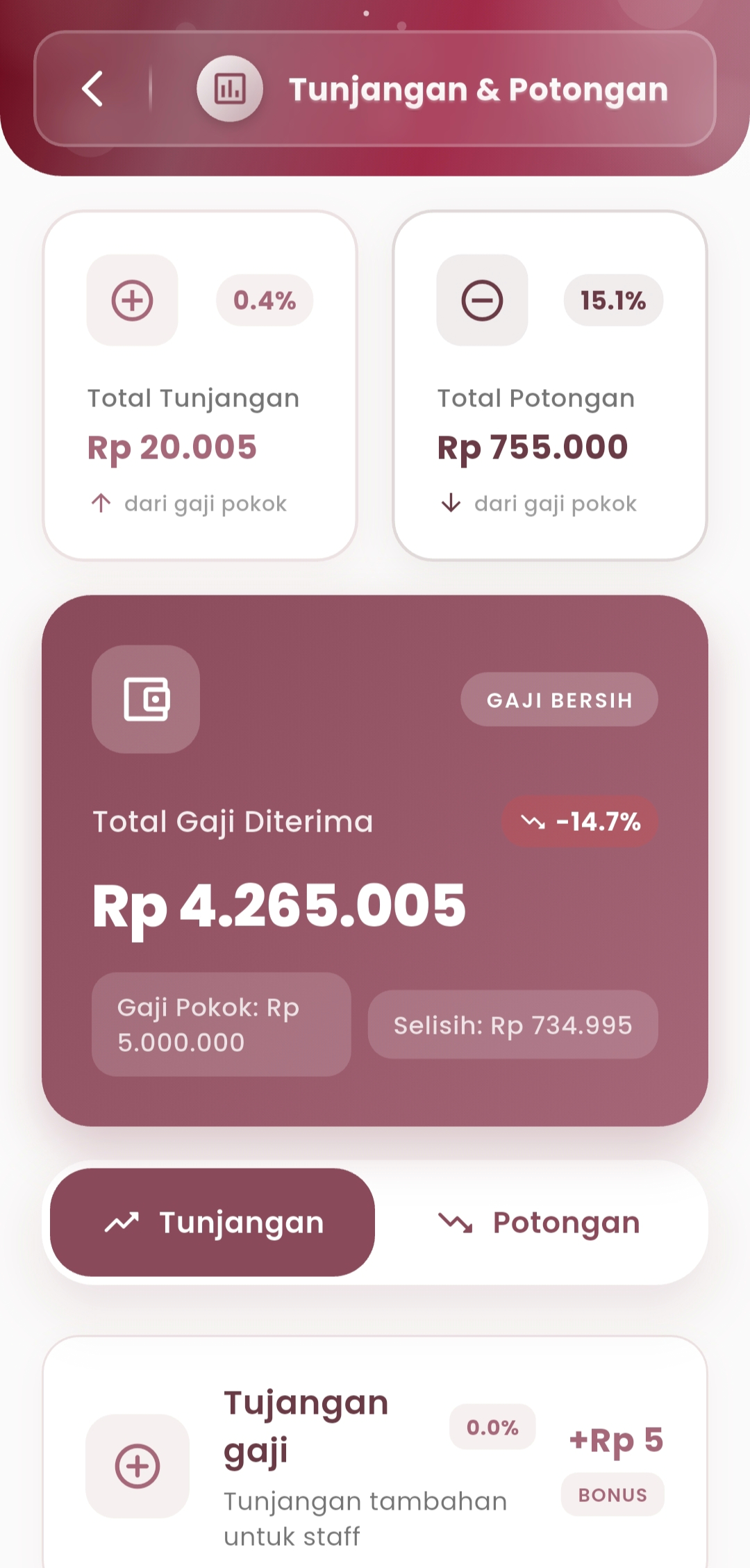
The Allowances and Deductions menu presents detailed information about all allowances and salary deductions each month. With an intuitive interface, users can directly see the influence of each element on the total salary received.
-
Total Salary Received
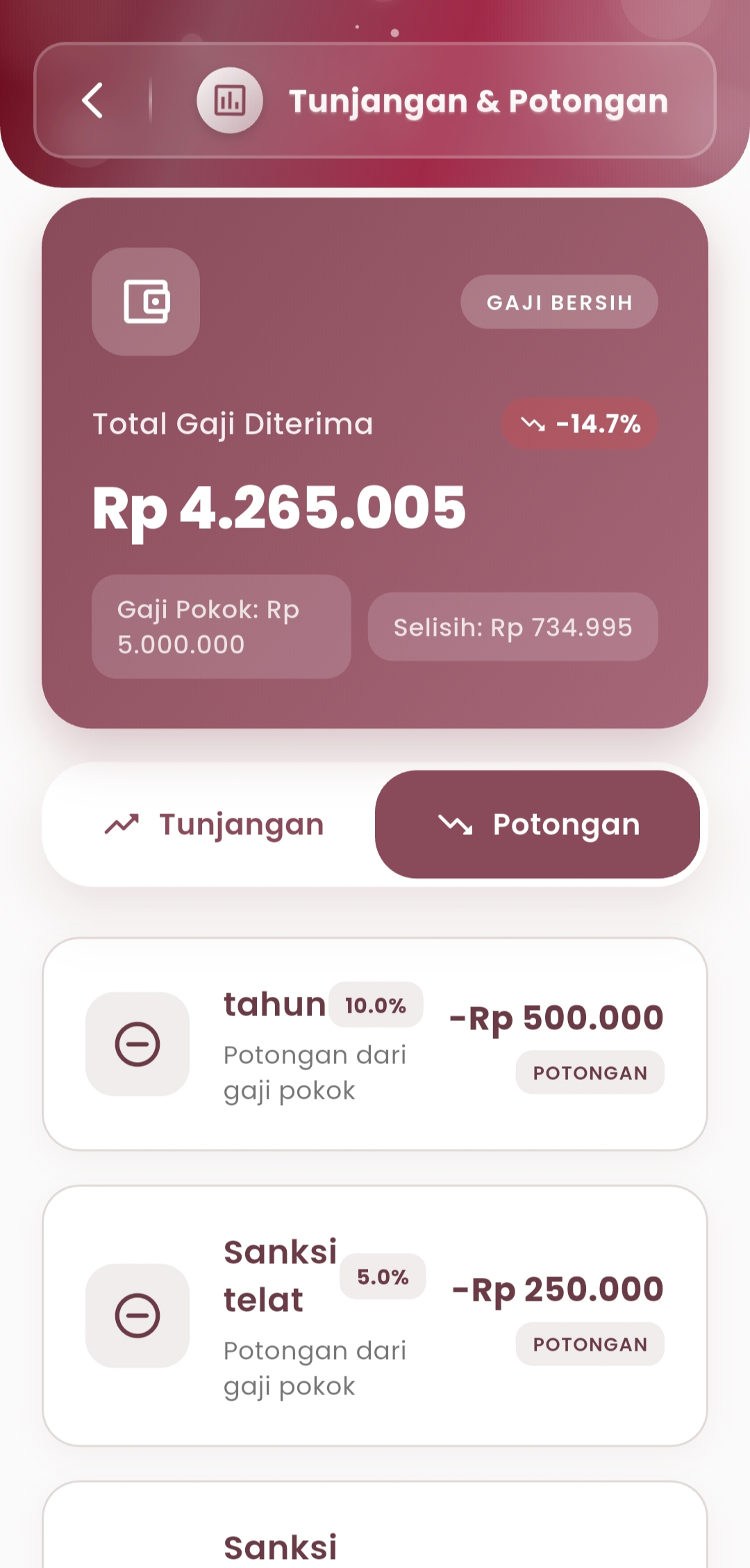
View a summary of the net salary you receive after calculating from the base salary, adding allowances, and subtracting deductions. All numbers are displayed clearly, including the percentage change compared to the previous month and the recorded difference.
- Base Salary: The basis of the overall calculation
- Difference: The difference between base salary and net salary
- Trend: Net salary increase/decrease indicator (e.g., -14.7%)
-
Allowances Tab
Contains a list of active allowances that increase your base salary amount, such as:
- Salary Allowance: Fixed additional income
- Additional Bonus: Extra incentives (if available)
Each item is accompanied by a contribution percentage and nominal total. Use this to understand where additional salary comes from.
-
Deductions Tab
Displays all deductions applicable to your base salary, such as:
- Annual Deductions
- Late Sanctions
- Administrative or other fines
Each is marked with a deduction icon, along with the amount and its percentage — ensuring no deductions are missed.
If you need further assistance, contact us through the eSchool Help Page.