
Classes
Manage & Access Class Information Easily
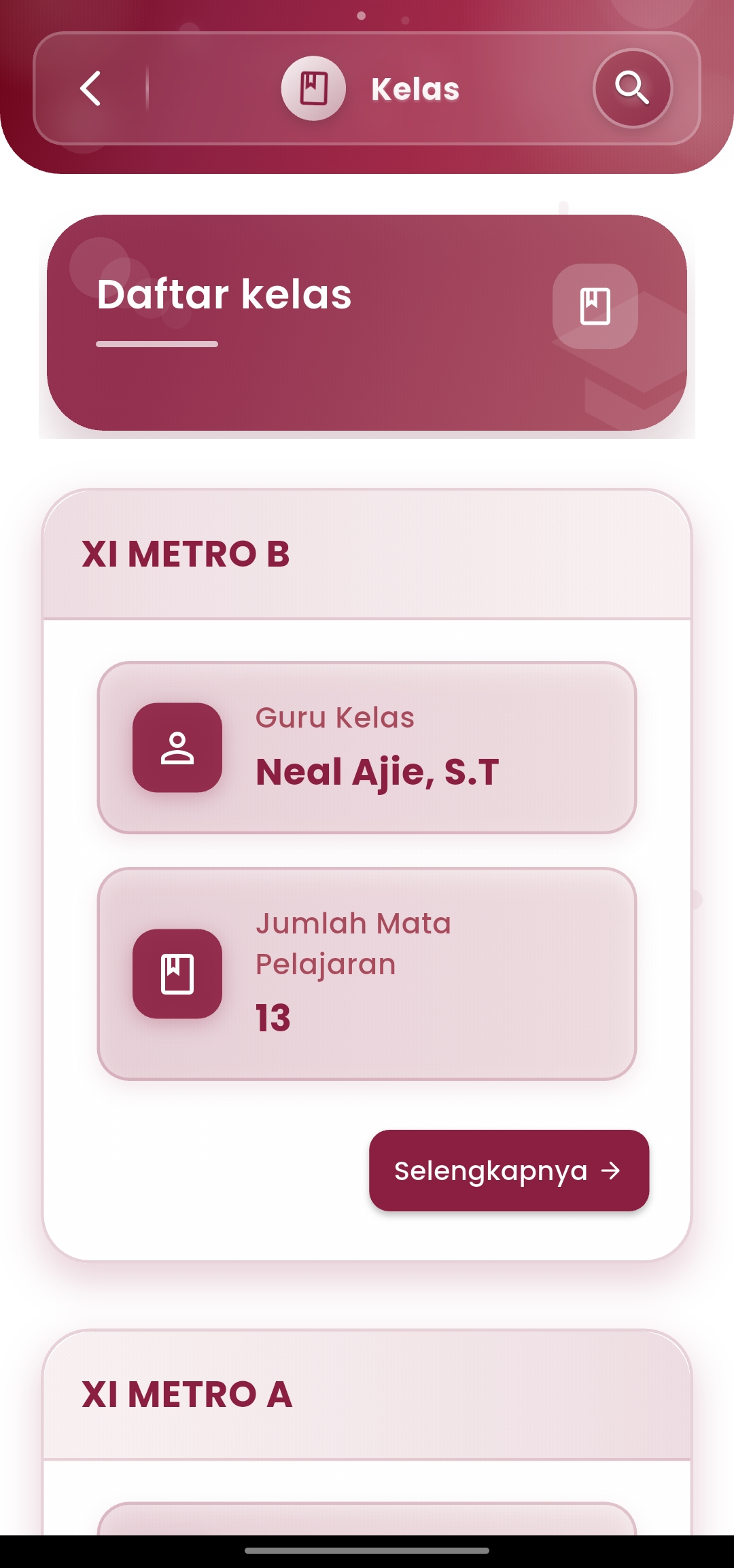
The Classes menu in eSchool Mobile provides complete information about active classes in the school, ranging from class names, homeroom teachers, to lists of subjects taught.
Key Features:
- List of Registered Classes
Displays all active classes in the school, complete with grade and major names (e.g. XI METRO A, XI METRO B). - Homeroom Teacher Information
Lists the names of homeroom teachers responsible for each class, as the main reference in academic communication and coordination. - Number of Subjects
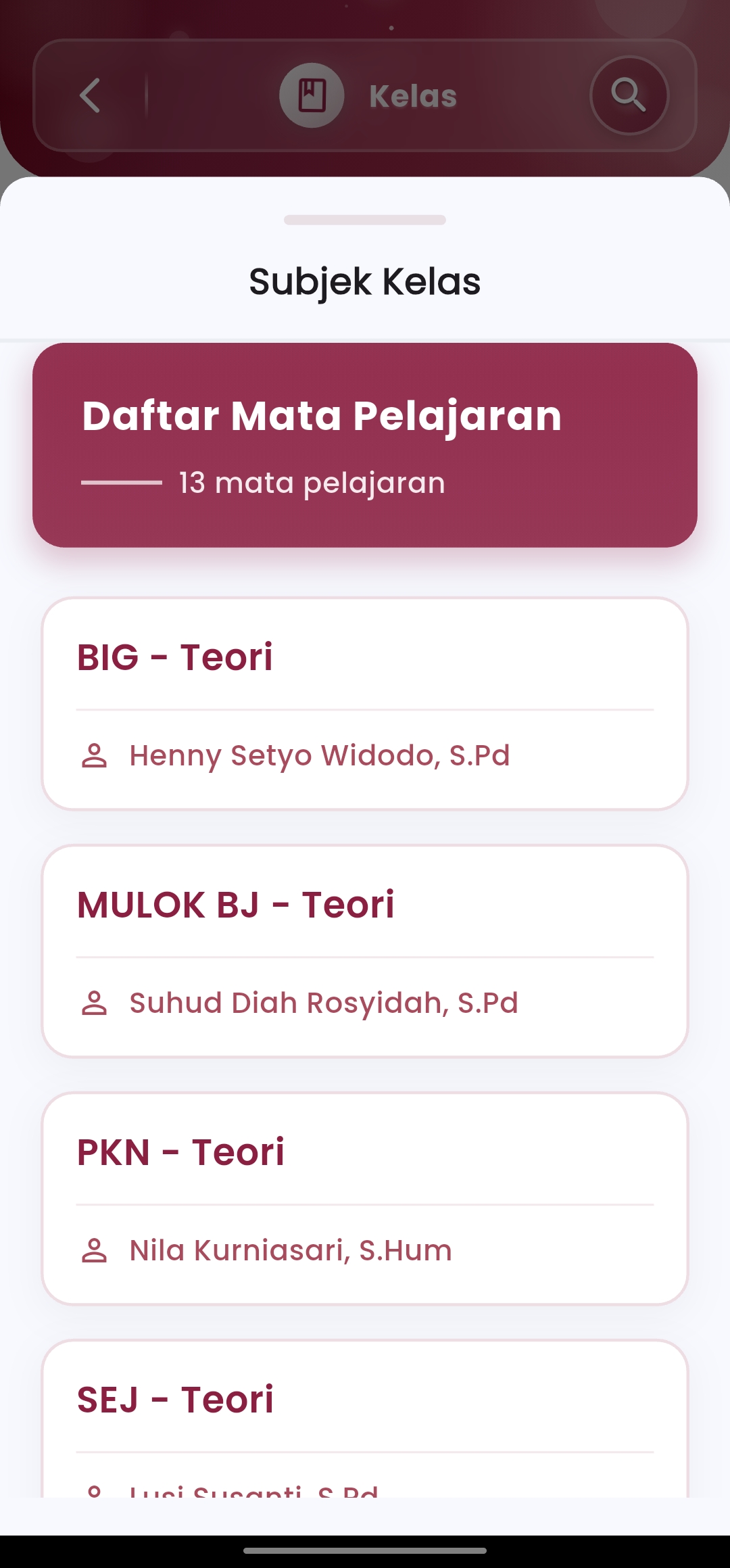
Presents the total subjects taught in that class, accompanied by a link to browse more details. - Subjects & Subject Teachers
After selecting one of the classes, users can view the complete list of subjects along with the names of the assigned teachers on duty.
Objectives and Benefits:
- Provide a quick reference for teachers and academic staff regarding teaching distribution in each class.
- Facilitate the process of identifying homeroom teachers and subject teacher responsibilities.
- Support integration across features such as grading, schedules, attendance, and class reports.
Supporting Features:
- Equipped with a class search function to facilitate navigation.
- Responsive and mobile-friendly interface, allowing information access anytime and anywhere.
- All data is automatically integrated with the school academic system.
If you need further assistance, contact us through the eSchool Help Page.