
Student Exam Status
Monitor Student Exam Progress Live and in Detail
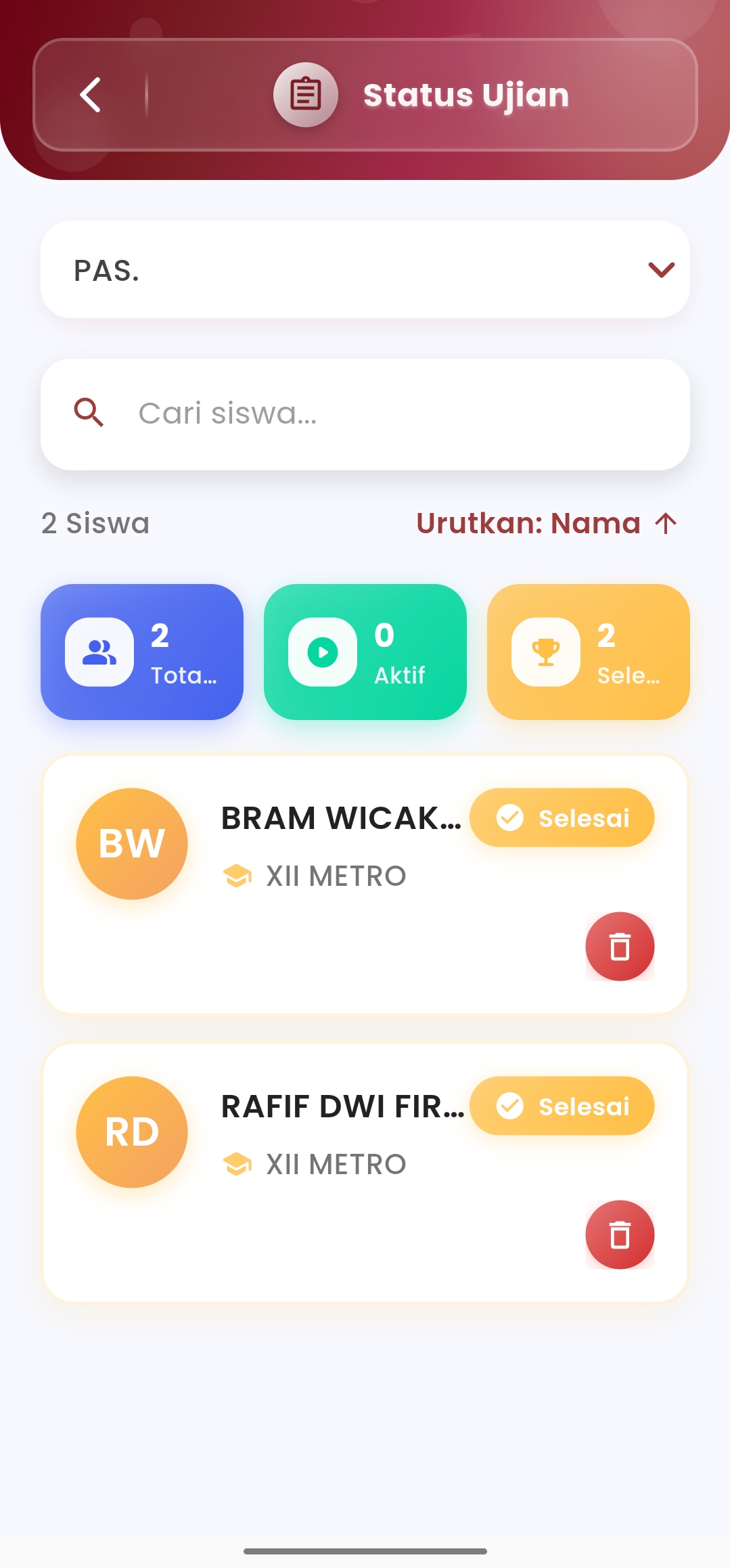
The Student Exam Status menu allows teachers and supervisors to monitor student exam implementation in real-time with informative and easy-to-understand visuals. From total participants, current activities, to completion, everything is presented in one integrated screen.
Key Features
-
Automatic Statistical Summary
Right at the top, indicators of the number of students in several categories are available:
- Total students registered to take the exam
- Active: students who are currently working on the exam in real-time
- Finished: students who have completely finished the exam
These statistics speed up the monitoring process without having to open the details of each student.
-
Complete & Interactive Student List
Each student is displayed in a special card containing:
- Initials & Full Name of student
- Class of student
- Individual status: ✅ Finished or ⏳ Not Yet
- Delete icon to cancel or remove students from the exam if needed
The list can be sorted by Name, providing flexibility in student data management.
-
Student Name Search
Use the search feature to find specific students quickly by name. Very practical when there are many exam participants and you want to access specific data without long scrolling.
-
Adaptive & Efficient Design
With high-contrast status colors and intuitive icons, this menu is built so teachers can understand and follow up on exam conditions in seconds. Every element is designed to facilitate decision-making while exams are in progress.
If you need further assistance, contact us through the eSchool Help Page.