
Manage Notifications
Manage all important messages sent to application users.
Monitor and organize all notifications—ranging from general announcements and important information to specific alerts—more easily and quickly.
Features:
-
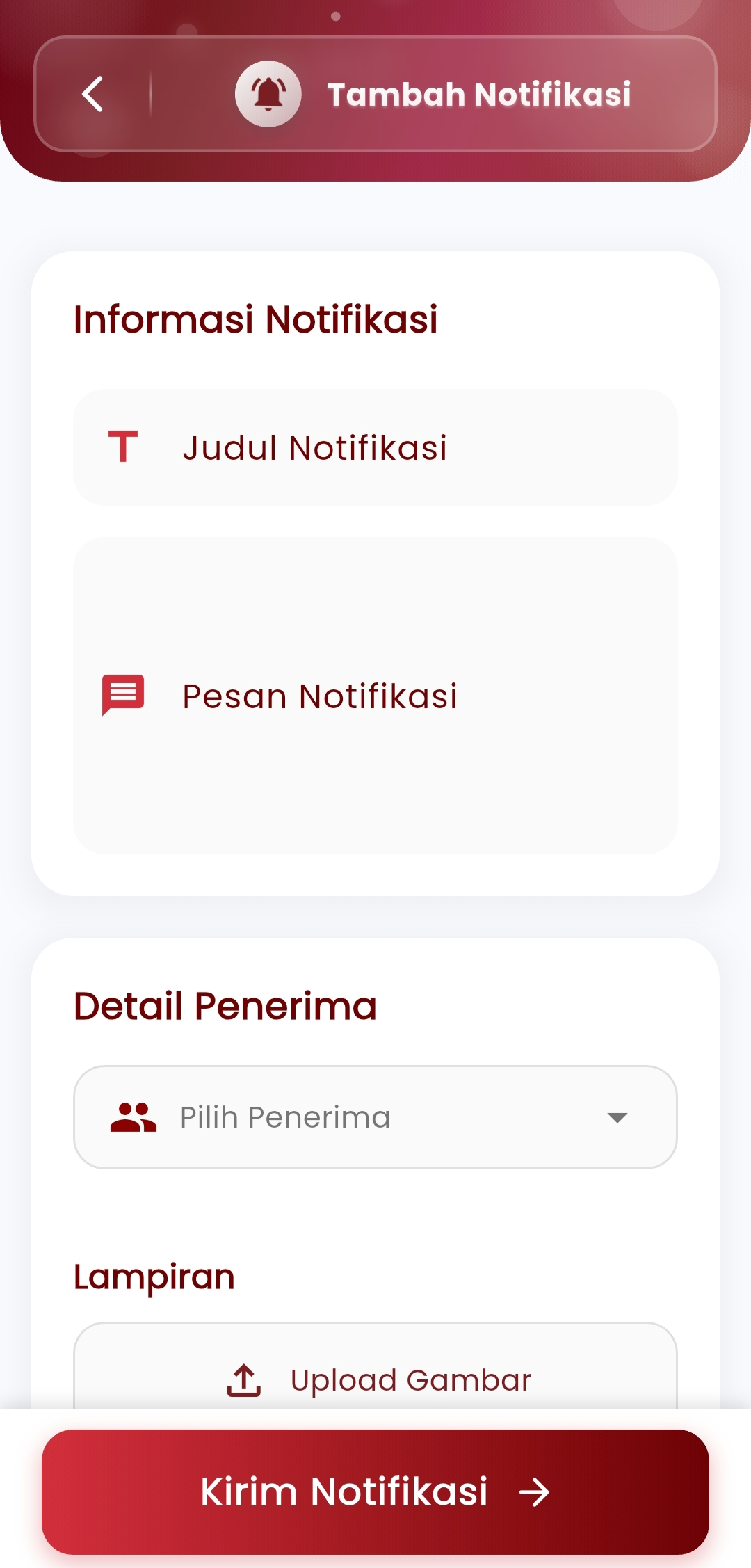
Add Notification
Create and send notifications directly to users:
- Notification Title: Define the main topic so users quickly understand the message content.
- Notification Message: Convey important information clearly and concisely.
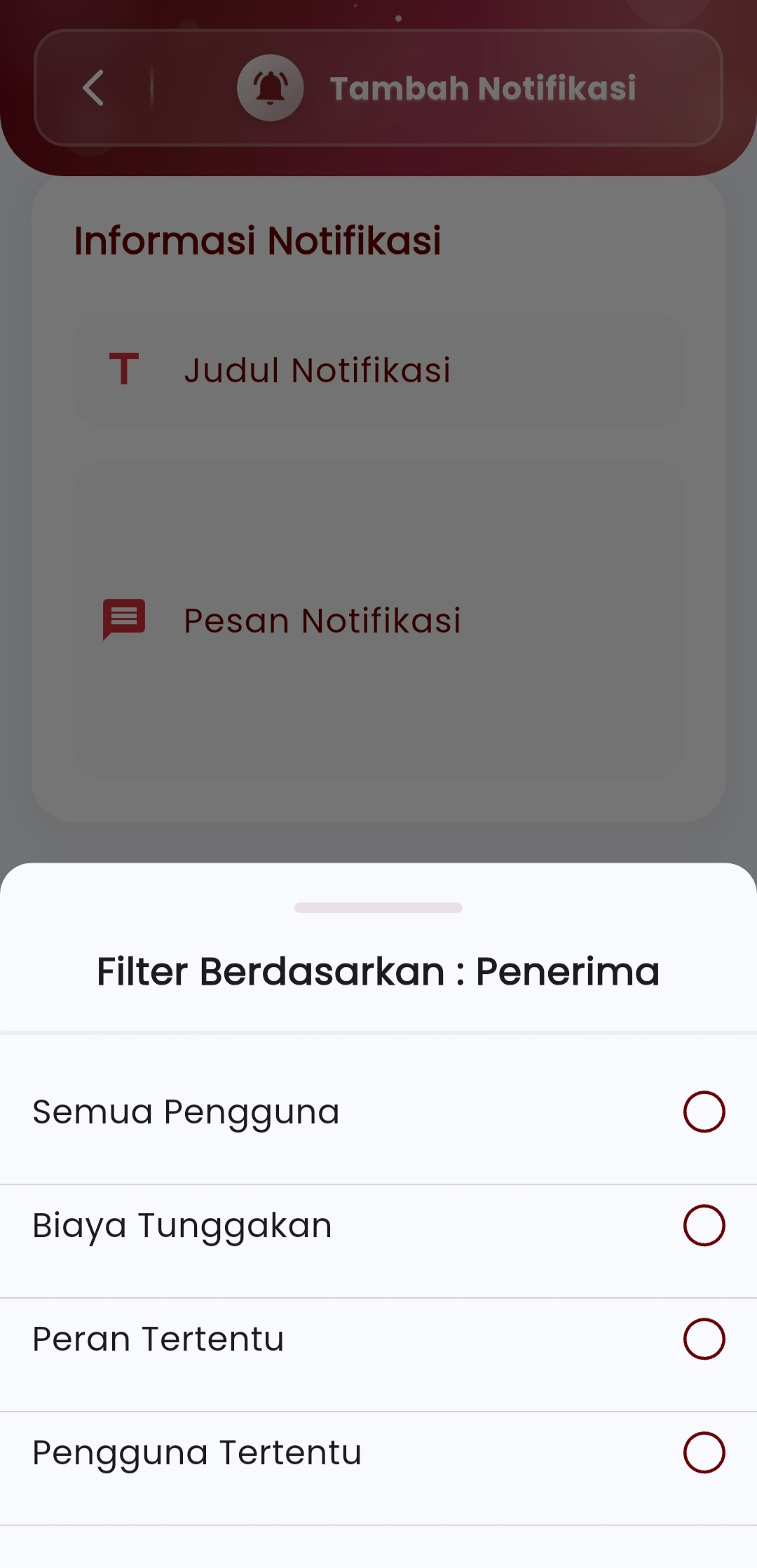
- Recipient Details: Select target recipients based on:
- All Users
- Users with Arrears
- Specific Roles (e.g., student, teacher, admin)
- Specific Users (individual)
- Attachments: Add supporting images if needed (e.g., brochures, event posters, etc.).
-
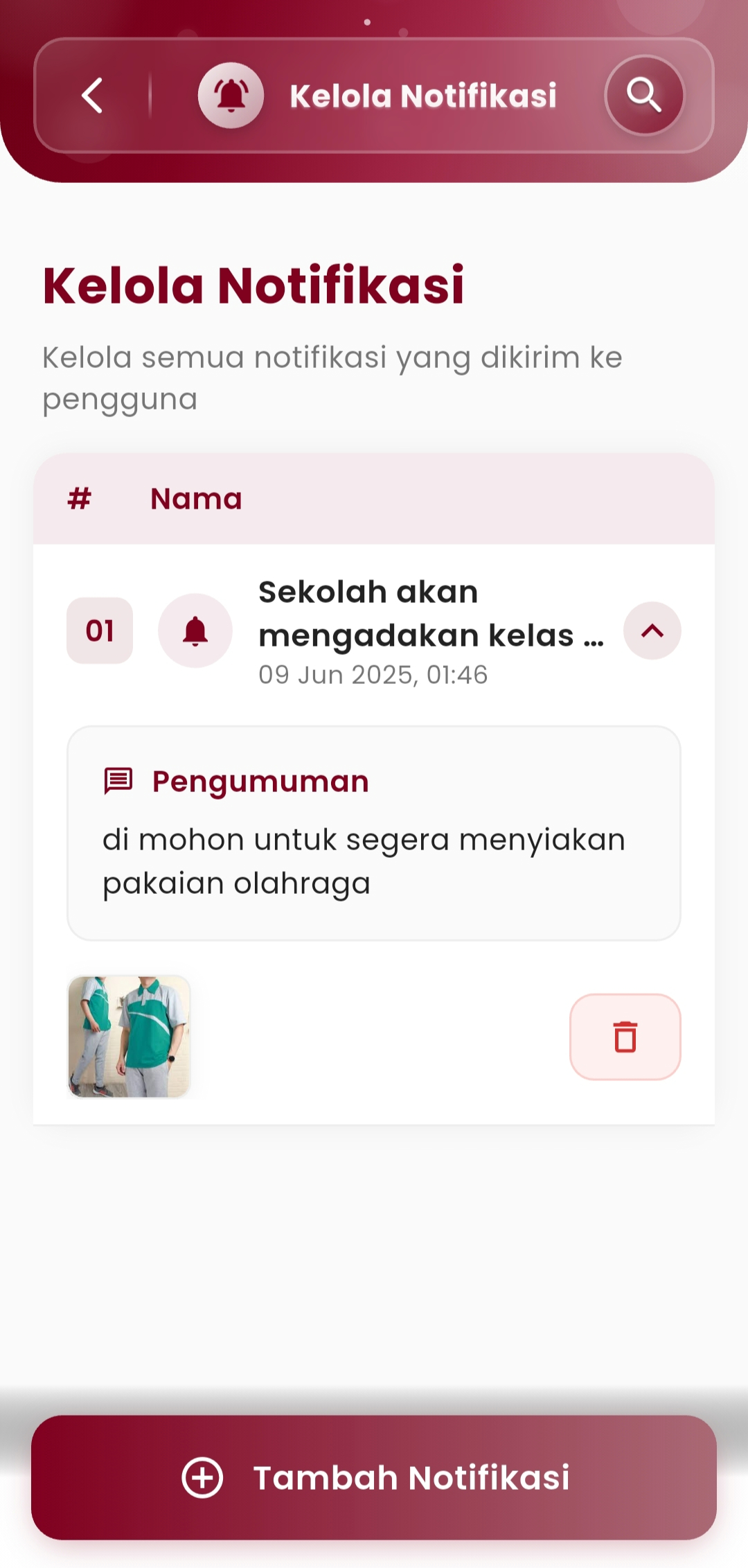
Notification History
View all previously sent notifications.
Complete information is available:- Sent time
- Message type (announcement, reminder, etc.)
- Message content
- Attachment (if any)
- Delete option to clean up the list if required
With this feature, school communication becomes more efficient, targeted, and neatly documented in one place.
If you need further assistance, contact us through the eSchool Help Page