
Assignment Submissions
Monitor all assignments uploaded by teachers into the system
This feature is specifically designed for school admins and curriculum management teams to ensure optimal assignment distribution across all classes and subjects.
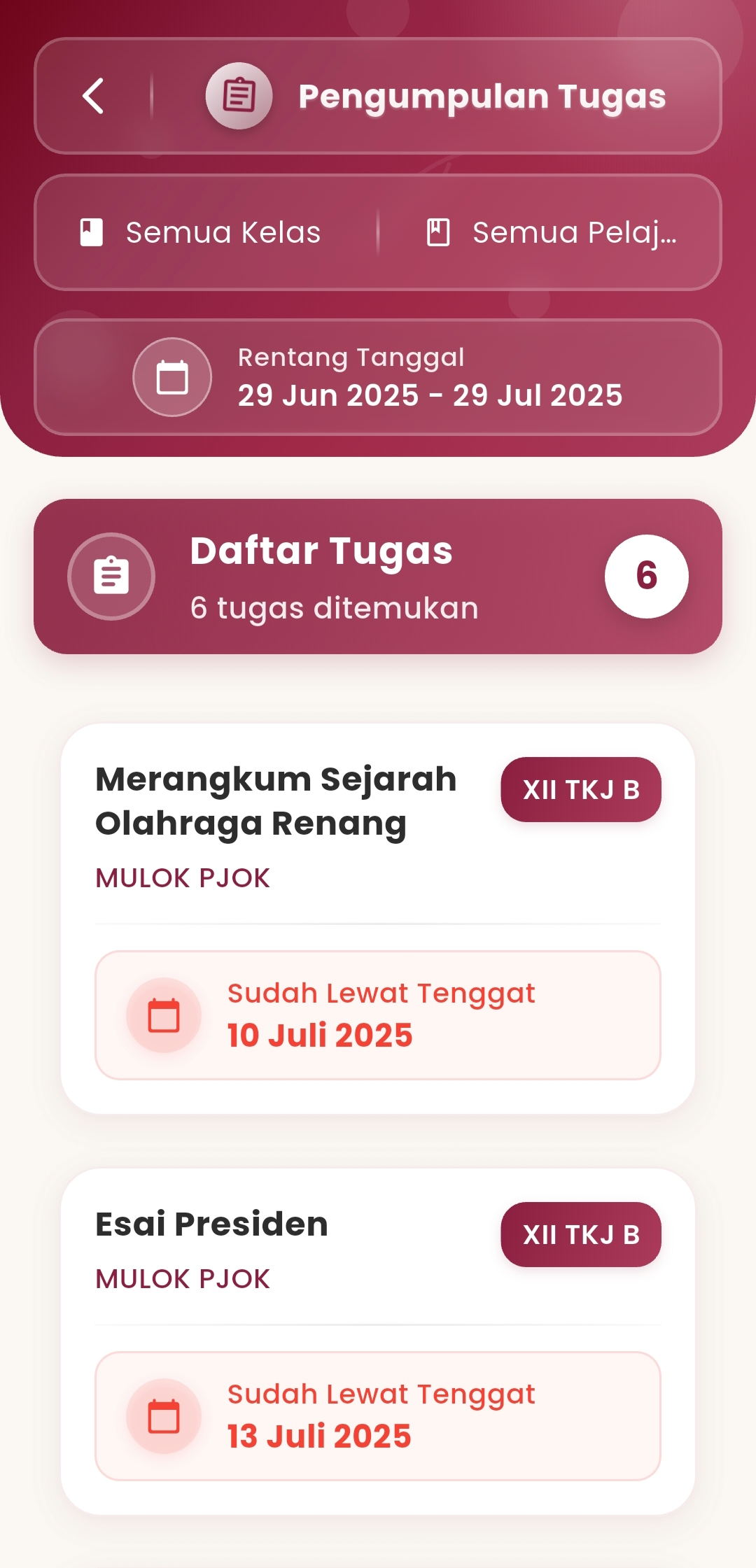

Main Functions:
- Monitoring Assignments from All Teachers
View the list of assignments created by teachers, complete with lesson details, target classes, and deadline status. - Flexible Filters
Browse assignments based on:- Class (e.g., XII TKJ B, XI TKJ A)
- Subject (e.g., Physical Education, Local Content)
- Date range (start to end of month/academic year)
- Automated Deadline Indicators
Assignments past their deadline will be automatically marked (e.g., 🔴 Deadline Passed – July 10, 2025) for easy checking. - Structured Assignment Details
Click on an assignment to view information:- Assignment instructions (e.g., Submit PDF file)
- Maximum & minimum points
- Created, start, deadline, and end dates
- Number of students who have submitted
Benefits for Admins & Curriculum Teams:
- Academic Process Control
Ensures all teachers have uploaded assignments on time and as scheduled. - Discipline Evaluation
Can be used to evaluate teaching regularity based on the intensity and punctuality of teachers in giving assignments. - Academic Audit
Provides historical evidence that learning is active and monitored.
Short Version for Display in App:
Monitor assignments uploaded by teachers. Browse by class, subject, and date. Get data on deadlines, instructions, and student submission status.
If you need further assistance, contact us through the eSchool Help Page