
Offline Exam Schedule
Organize and Monitor All Face-to-Face Exam Activities Efficiently
The Offline Exam Schedule menu is designed to provide comprehensive visibility to teachers and students regarding the implementation of offline exams. With a clean and informative interface, users can monitor daily schedules, details of tested subjects, and exam status in real-time.
Main Features
-
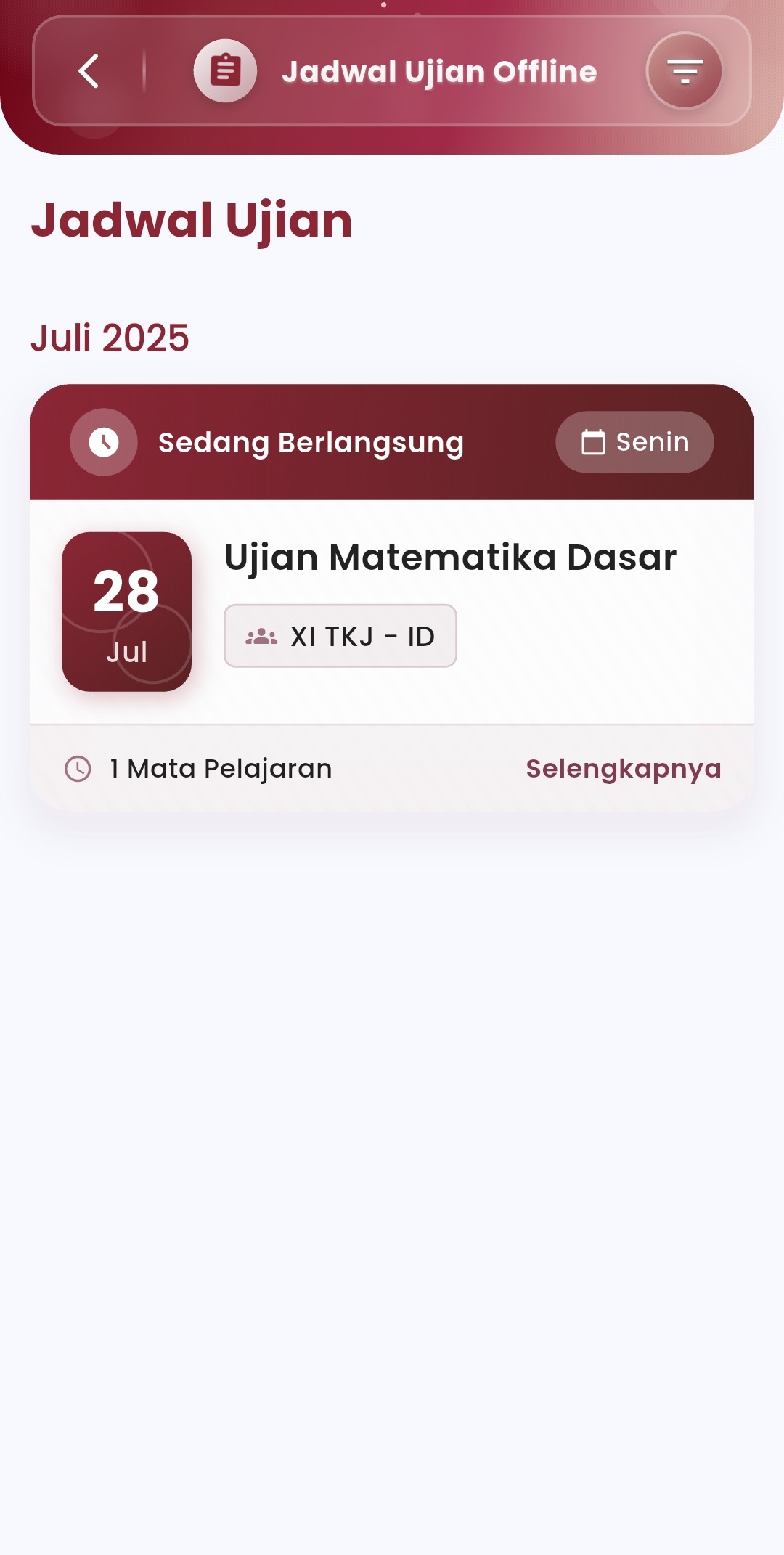
Real-Time Exam Status
Each exam currently in progress will be marked with a "In Progress" label, making it easier for users to identify active activities on that day.
-
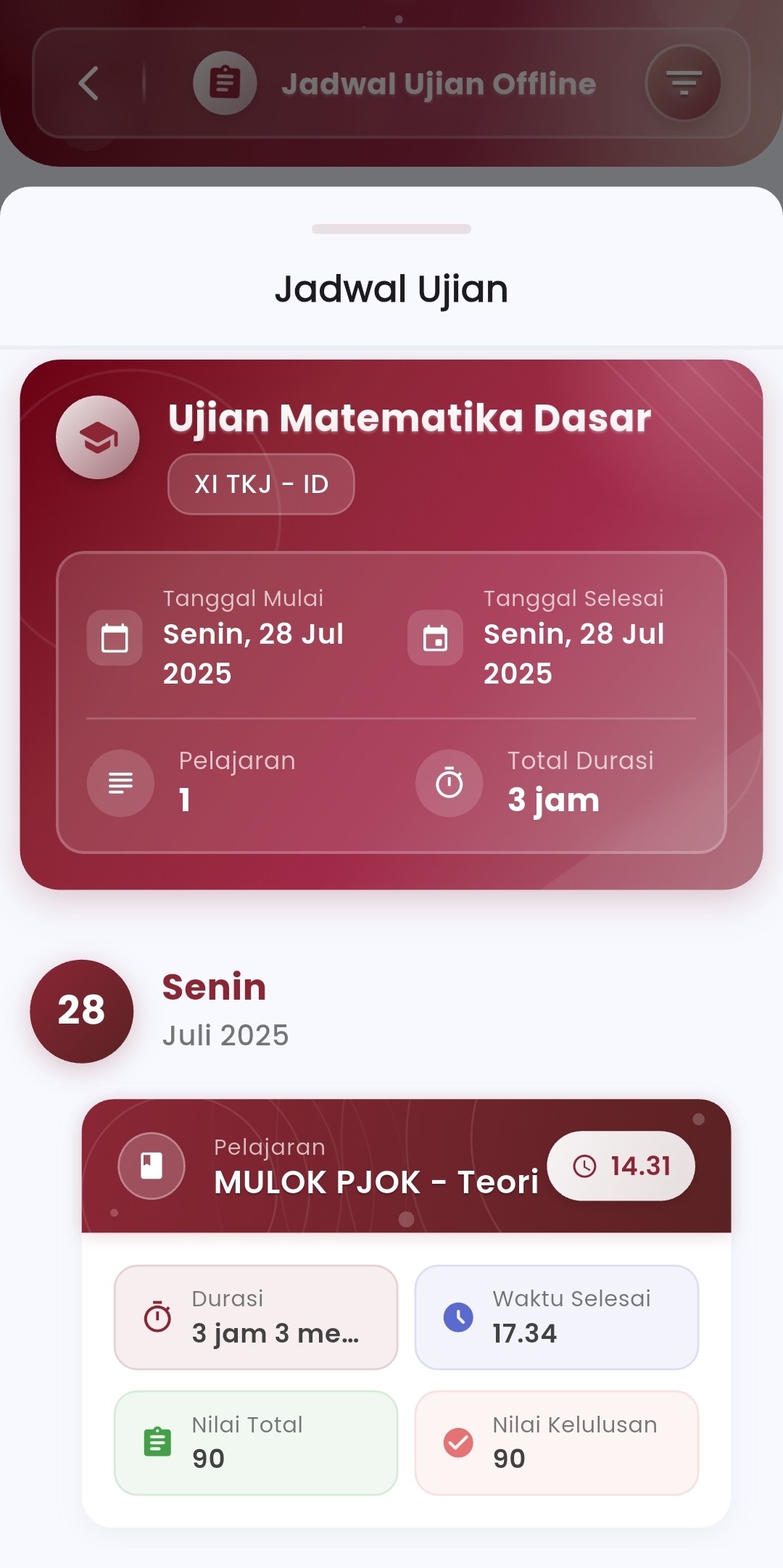
Date and Day Details
The system displays detailed schedule information:
- Day and date of implementation
- Start and end dates of the exam
- Total duration of the exam implementation
All are arranged chronologically for easy browsing, especially during dense exam periods.
-
Integrated Classes and Subjects
- Display participating classes (e.g., XI TKJ - ID)
- Number and type of subjects being tested
- Additional information such as start time, end time, and minimum passing score
-
Scores & Evaluation
Each exam is also accompanied by:
- Maximum Total Score — to assess student exam results
- Passing Score — as the competency standard to be achieved
These scores are displayed directly on the exam card for easy result monitoring.
-
Detailed Navigation
The "Details" button allows users to see:
- Details of the subjects being tested
- Implementation time per subject
- Specific duration and evaluation metrics used
-
Structured Daily Schedule
In a single view, users can see:
- Exams that are currently and will be in progress
- Schedule division by day and by subject
- Colors and icons that distinguish exam status and important information
If you need further assistance, contact us through the eSchool Help Page.