
Online Exam Results
Monitor Student Exam Scores Directly, Practically, and Transparently
The Online Exam Results menu is designed to help teachers monitor, correct, and summarize all online-based exam results efficiently. All data is presented in real-time in a clean, modern, and intuitive visual layout — from the exam title to the total completion duration.
Main Features:
-
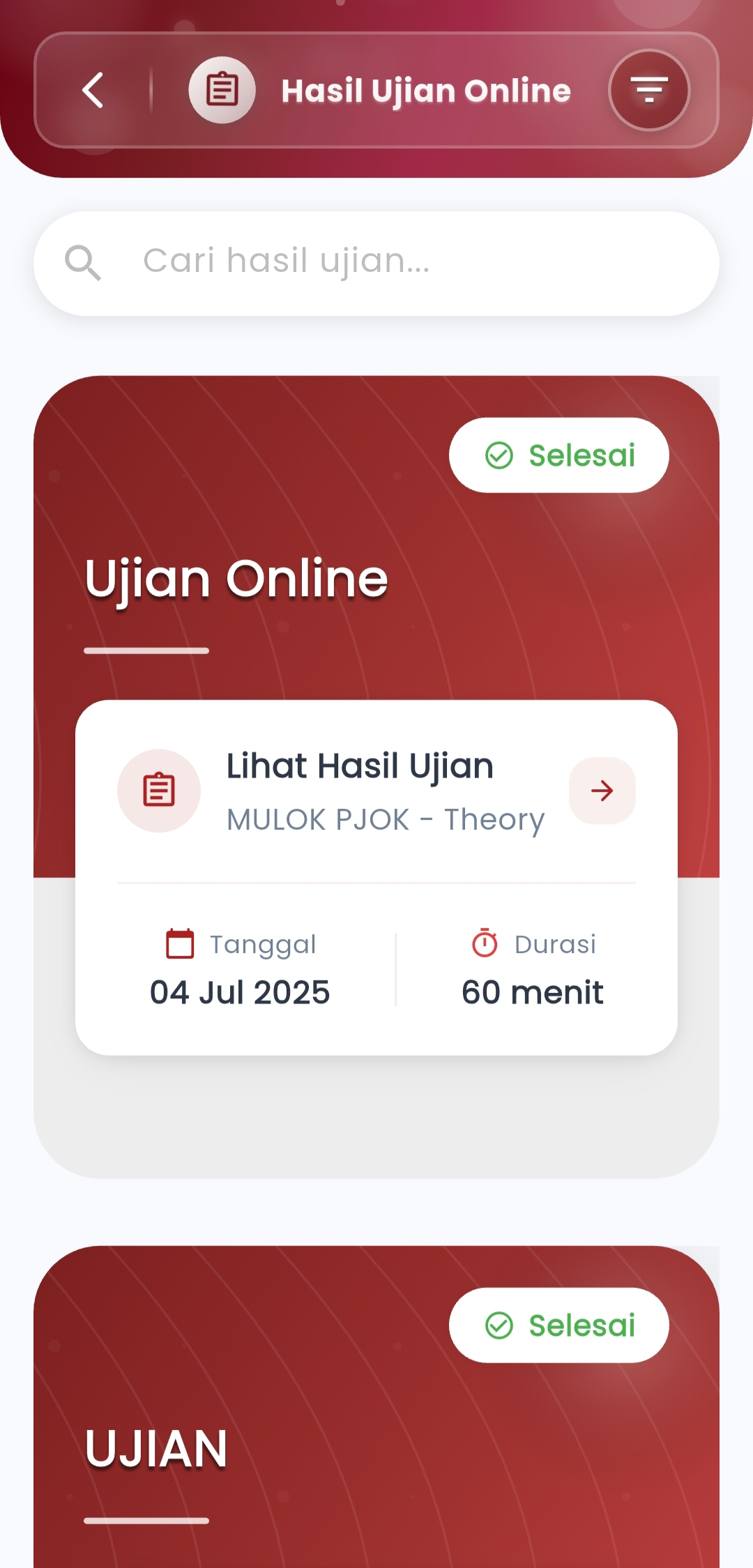
Structured Exam Summary
Each exam is displayed in a card format that includes:
- Exam title and subject
- Implementation date and duration
- Status indicator (✅ Completed / ⏳ In Progress)
Makes it easy for users to select and check exam results based on time and type.
-
View Result Details
Press the "View Exam Results" button to access:
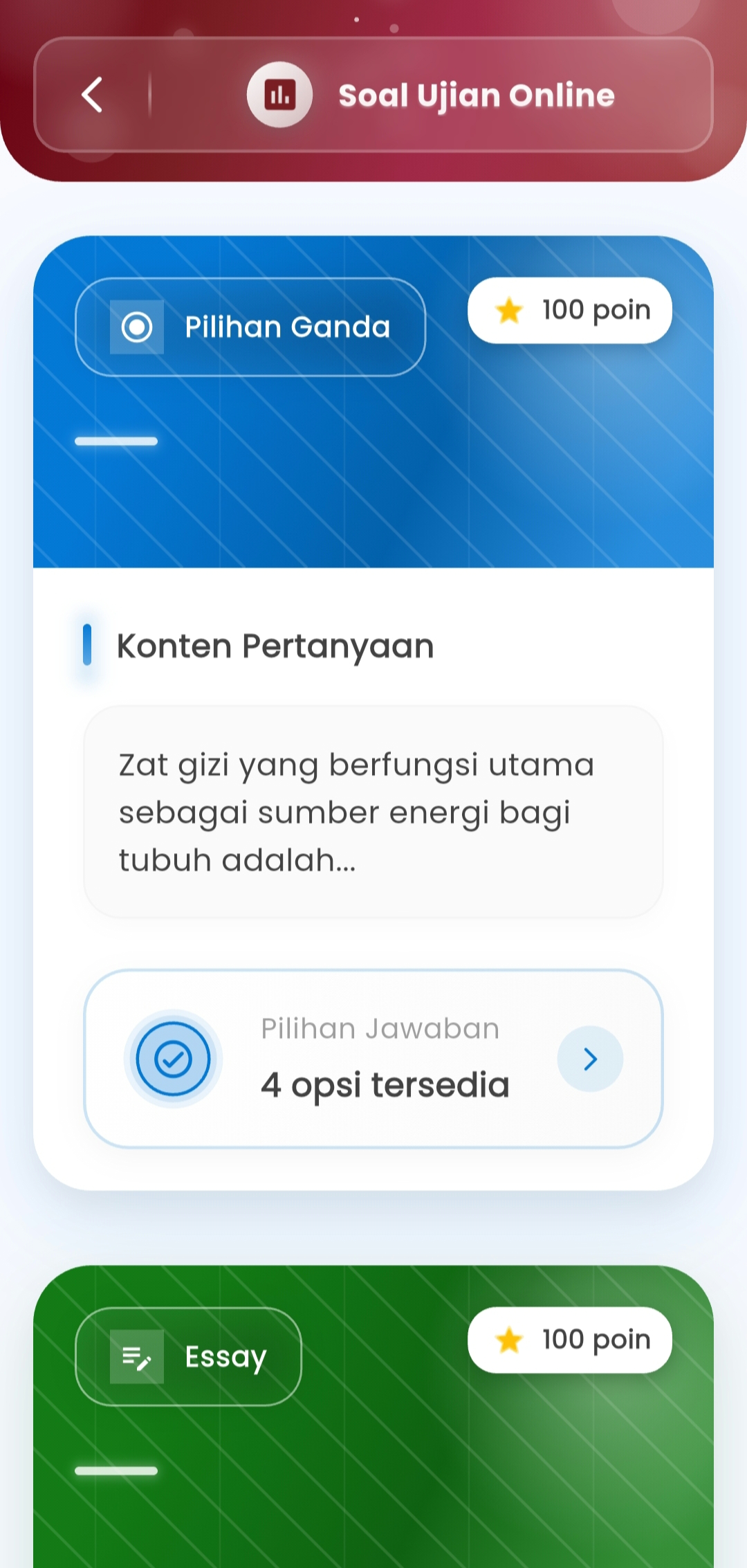
- Grade summary for each student
- Question performance (for multiple choice and essay)
- Easy-to-read student response views
All these components support in-depth evaluation of student achievement in one place.
-
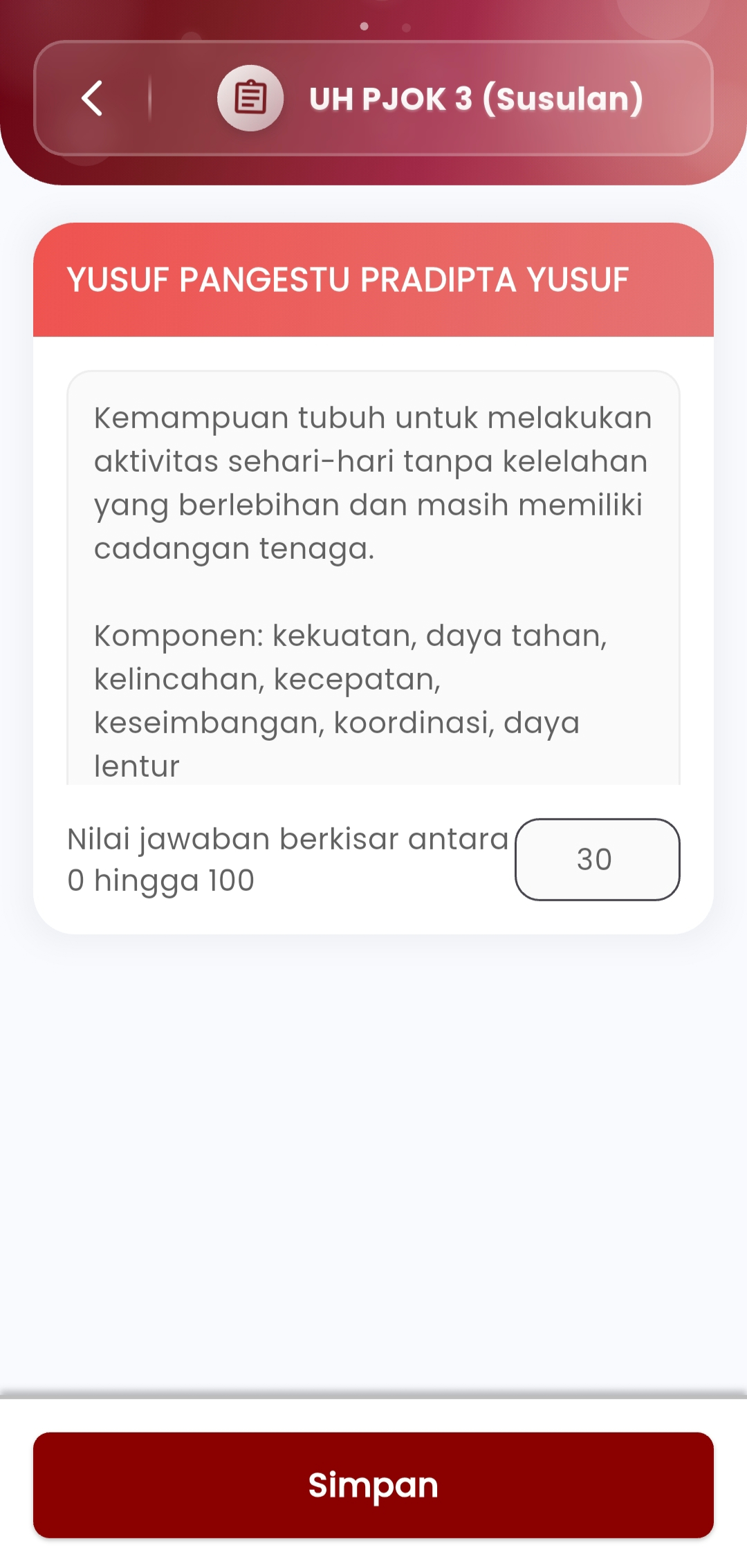
Manual Essay Grading
For essay questions:
- Teachers can view the student's complete answer
- Manually input scores (0–100) per question
- Grade directly from the same screen
Very useful for providing rubric-based assessments or direct observations.
-
Validation & Automated Saving
Once all grades have been checked:
- The system automatically saves results
- Grades are archived and ready to be sent to the central dashboard or homeroom teacher
Guarantees that no data is missed or lost.
If you need further assistance, contact us through the eSchool Help Page.