
Manage Lessons (Chapters)
Organize Teaching Materials and Learning Topics Structuredly
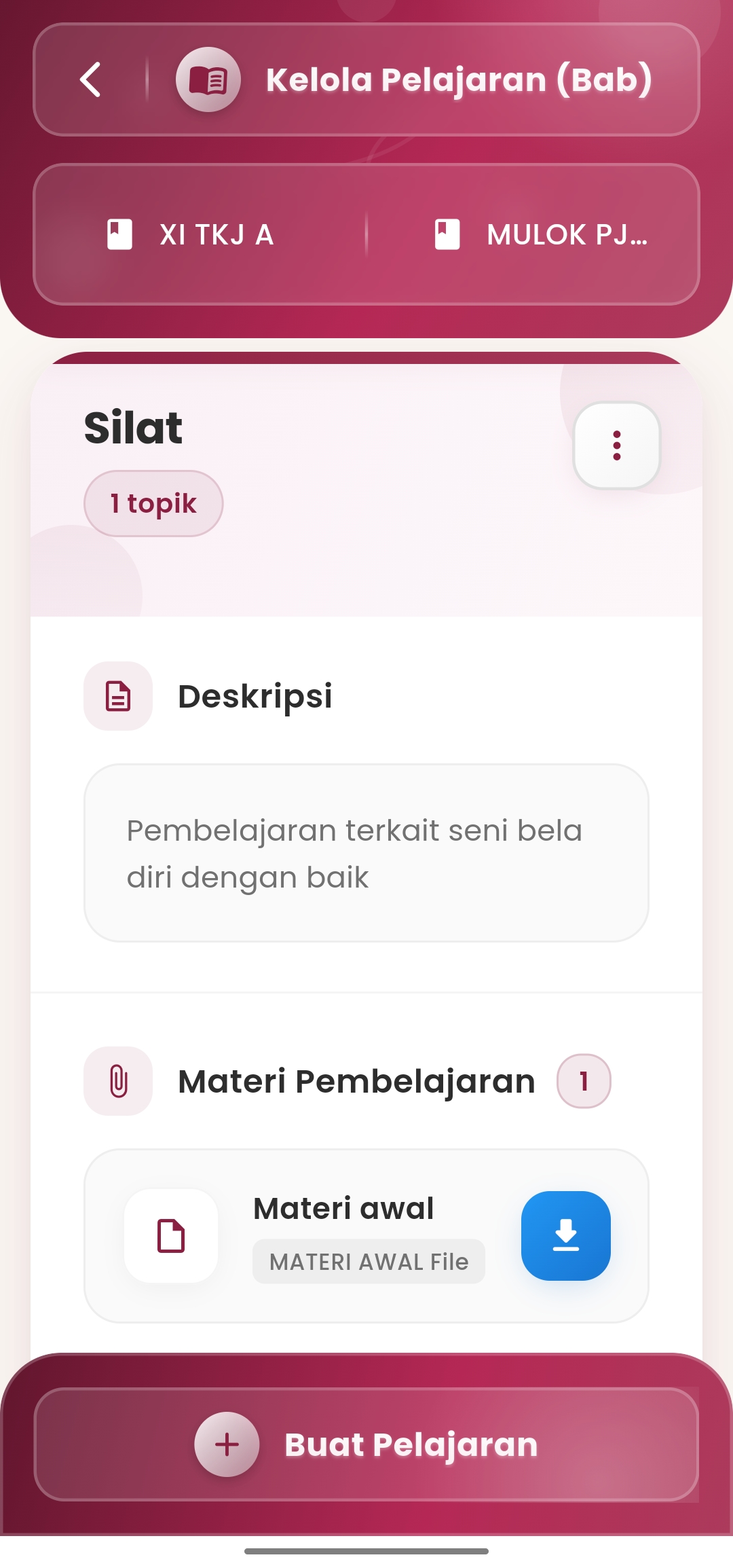
The Manage Lessons (Chapters) feature in the eSchool Mobile application provides ease for teachers in compiling and managing teaching materials based on topics or learning chapters. Each topic can be equipped with descriptions, file attachments, to learning videos that are directly integrated into the application.
Key Features:
-
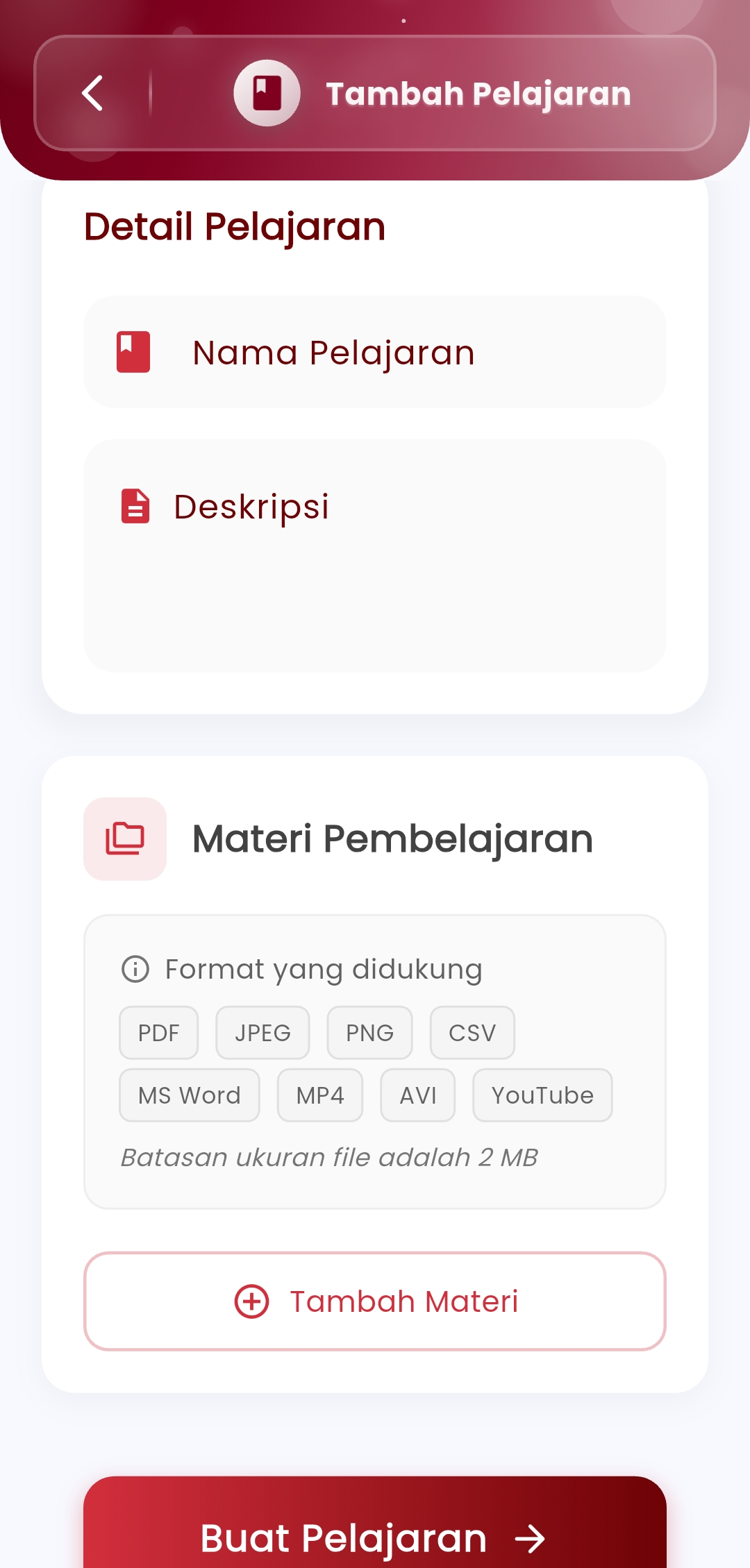
Add New Chapter or Topic
Teachers can create new lessons based on chapter structure, accompanied by topic names and short descriptions of learning objectives. -
Learning Material Management
Each chapter/topic allows uploading various types of supporting files such as:- PDF, Word, CSV
- JPEG, PNG
- MP4, AVI, YouTube link
(File size limit: 2 MB per item)
-
Learning Description
The description field is used to provide an overview of the material content, targeted competencies, or special notes for students. -
Quick Action Buttons\
- Add Material: to attach learning files
- Download: for students to access shared files
- Create Lesson: save the entire chapter along with its materials
Benefits:
- Help teachers organize teaching materials gradually and systematically
- Facilitate blended learning (mixed face-to-face and online)
- Increase student engagement through digital access to materials
- Support transparency and cross-instructor collaboration
Usage Tips:
- Use lesson and chapter names that are consistent with the school syllabus
- Insert various media to make learning more interactive
- Update materials periodically to keep up with curriculum developments and student needs
If you need further assistance, contact us through the eSchool Help Page.