
Teacher Holidays
Manage Teacher Holiday Entitlements Easily, Accurately, and Centrally
The Teacher Holidays menu is designed to make it easier for school admins to manage teachers' annual holiday entitlements digitally. With an intuitive and informative interface, the entire process—from viewing holiday quotas, monitoring remaining days, to summarizing submission history—can be done quickly and efficiently.
Main Features
-
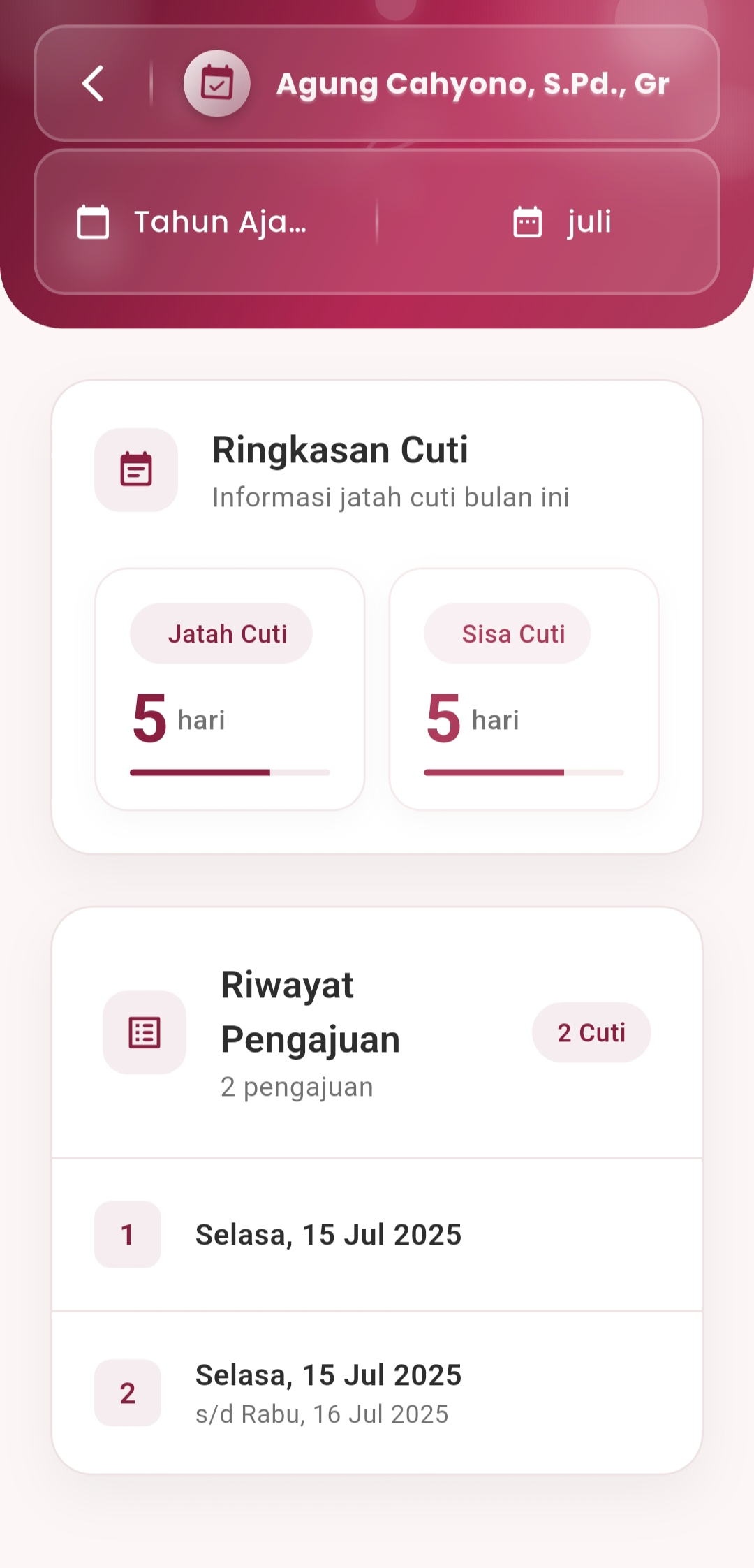
Holiday Entitlement Summary
Monitor the holiday entitlement status of each teacher in a single view:
- Holiday Quota available per month/year
- Remaining Holiday that has not been used
- Visualization of holiday progress with progressive indicators
This view provides admins with real-time insight into the holiday usage of all teaching staff.
-
Submission History
A summary of all teacher holiday submissions stored automatically, displaying:
- Start to end dates of holiday
- Number of days used
- Submission sequence number
- Traceable history for each teacher at any time
-
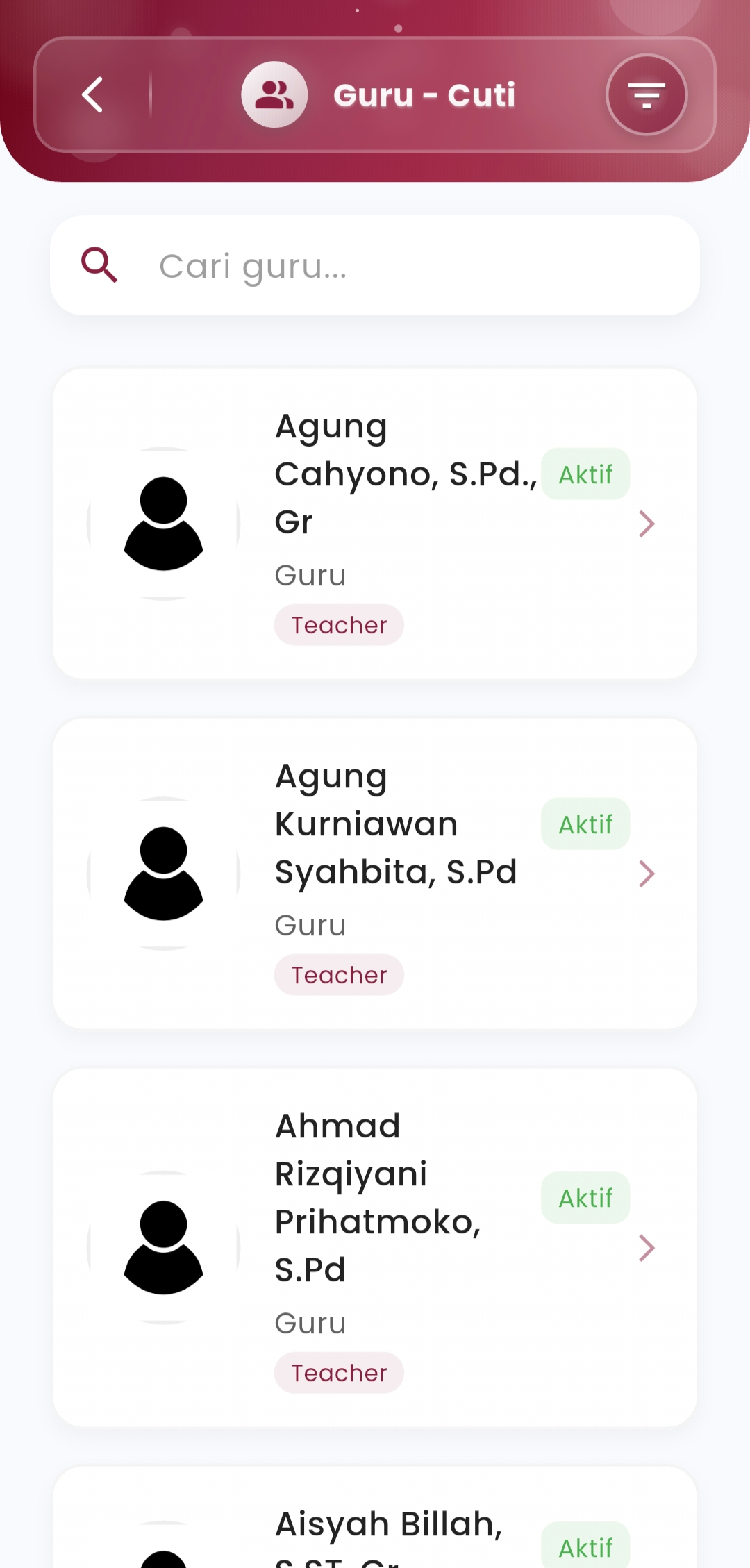
Interactive Teacher List
Instantly view and search for teachers through a systematically displayed list of active teachers, complete with:
- Active status (Active/Inactive)
- Complete teacher identification
- "Teacher" role label
- Quick access to individual holiday details
If you need further assistance, contact us through the eSchool Help Page