
Special Attendance Report
Monitor Student Attendance Statistics Accurately and Interactively
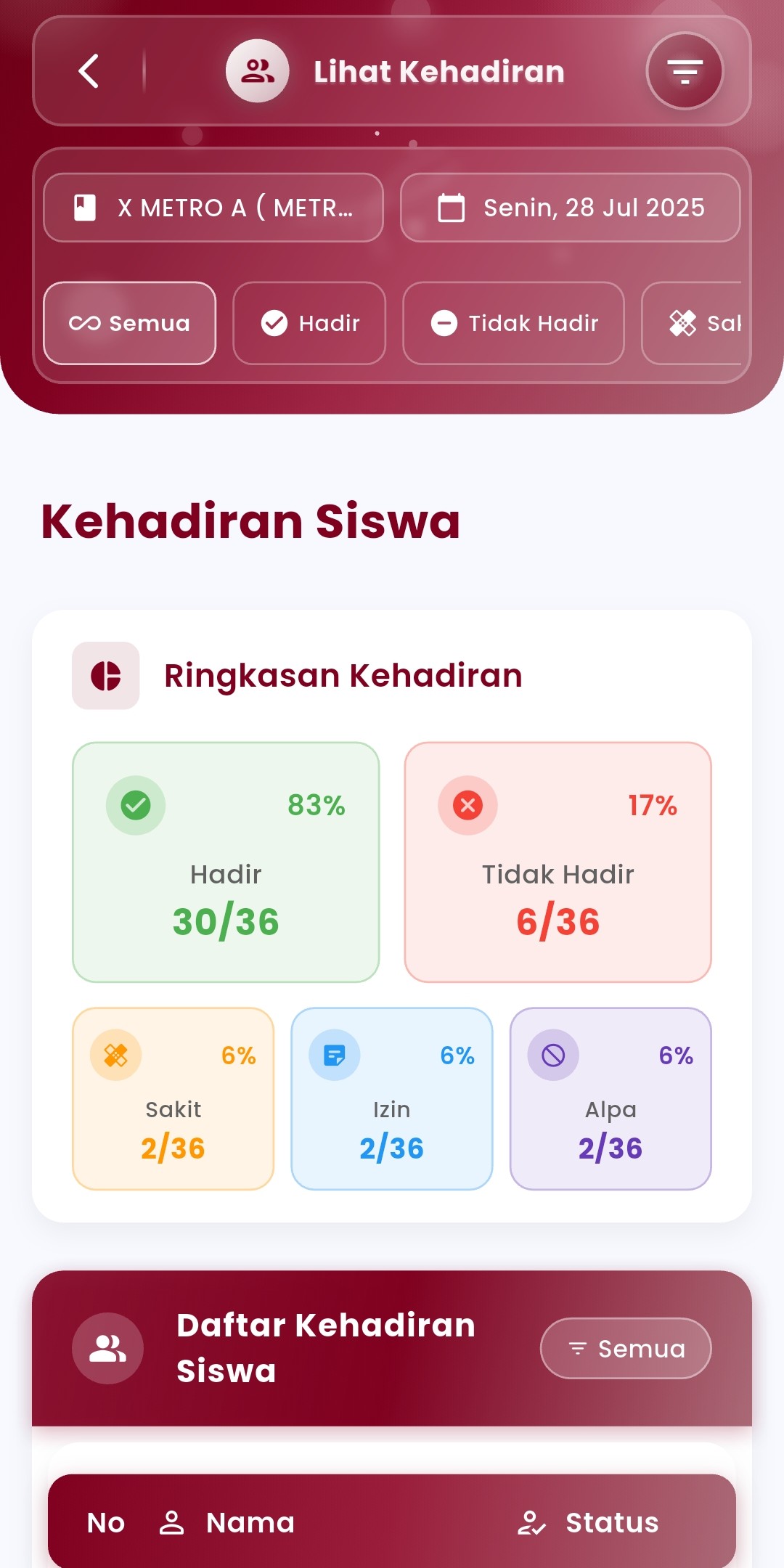
The Attendance Report menu in eSchool Mobile is designed to facilitate teachers and school staff in viewing student attendance recaps in real-time, complete with data filters, statistical percentages, and details per student.
Key Features:
- Filter by Class & Date
Select specific classes and dates to display relevant and focused attendance data. Ideal for daily, weekly, or incidental reports. - Visual Attendance Summary
Displays attendance summary charts directly with percentages and total students for each category:- Present
- Sick
- Permission
- Absent (Alpha)
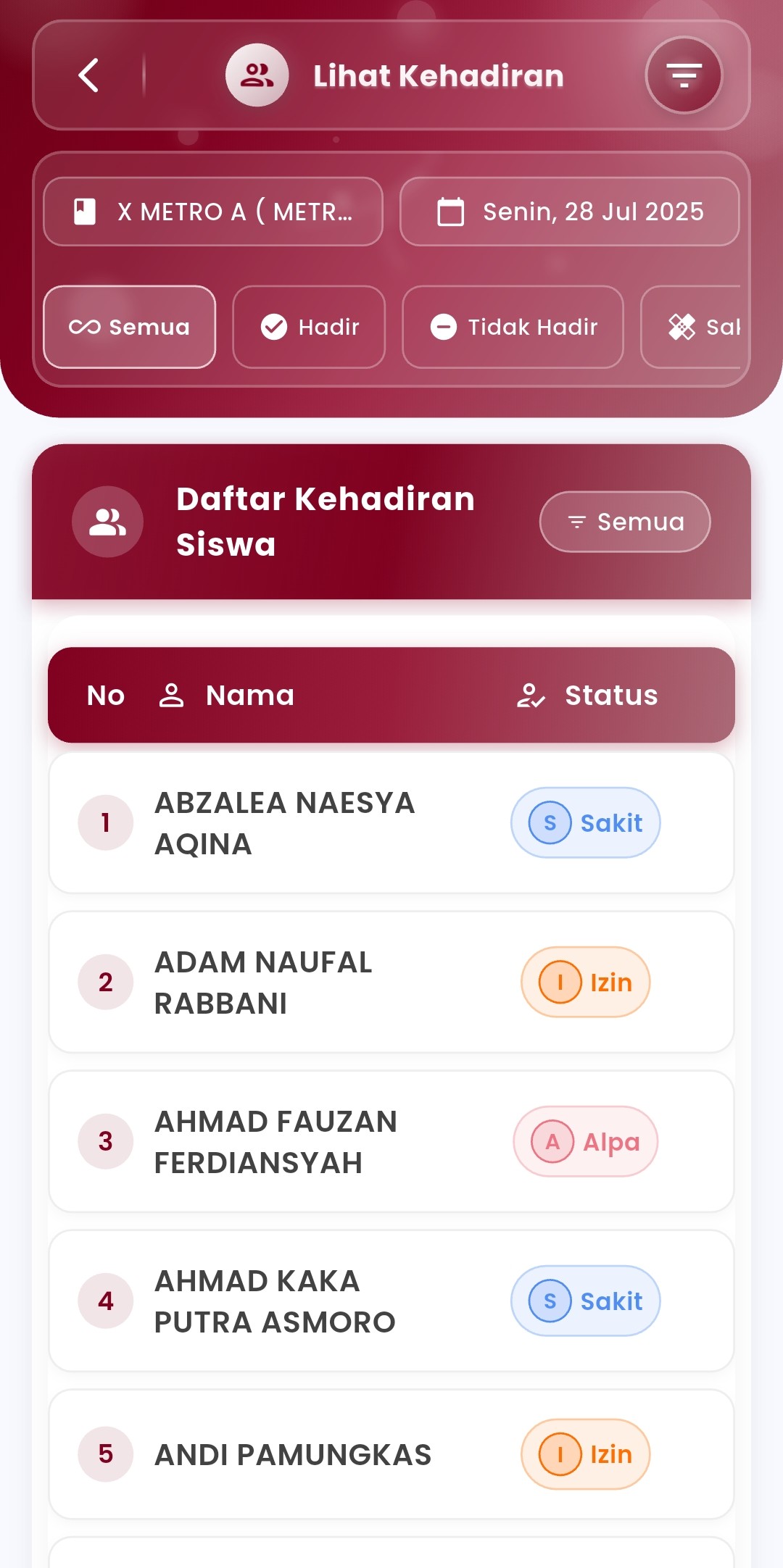
- Student Attendance List
Displayed in a neat table with each student's attendance status, complete with different icons and colors to speed up identification. - Special Status Filter
Users can choose to only display students who are present, sick, permitted, or absent separately. - “All” Display Mode
To review the complete list of students along with their attendance status on the selected day.
Feature Benefits:
- Facilitate teachers in conducting daily attendance analysis
- Accelerate reporting to homeroom teachers, Administration, or principals
- Provide data that is ready to be used for monthly recaps or class evaluations
- Minimize recording errors through automated systems & visual validation
Usage Tips:
- Use class and date filters to focus on specific activity reports.
- Suitable for use before compiling counseling reports, report cards, or disciplinary coaching.
- Report data is integrated directly from attendance recording results performed by teachers in the previous feature.
If you need further assistance, contact us through the eSchool Help Page.