
Subject Attendance Report
Student Attendance Recap per Subject Real-Time
The Subject Attendance Report feature in eSchool Mobile helps teachers monitor student attendance specifically in each lesson session, not just based on the day in general. This system is designed to support more detailed and precise recording at the teaching level per subject.
Key Features:
- Filter by Class, Date, and Subject
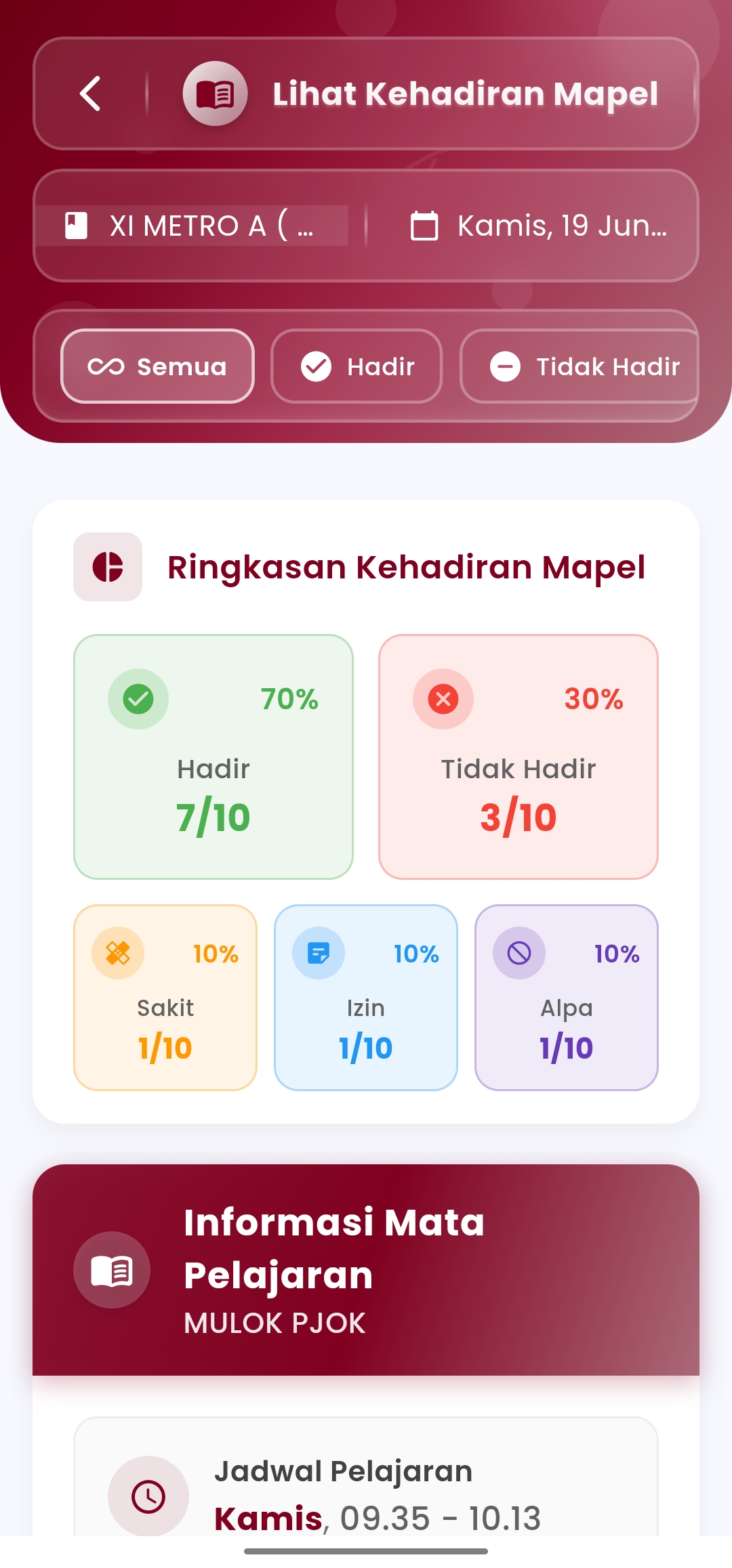
Teachers can select the class, date, and subject session to be recapped, for example: MULOK PJOK – Thursday, 09.35–10.13 WIB. - Attendance Summary per Subject
Student attendance statistics are displayed in visual format:- Present (amount and percentage)
- Sick
- Permission
- Absent (Alpha)
- Percentage & Amount Distribution
Each category is presented complete with the total students included in that status and the proportion in percent. - Student Name List & Individual Status
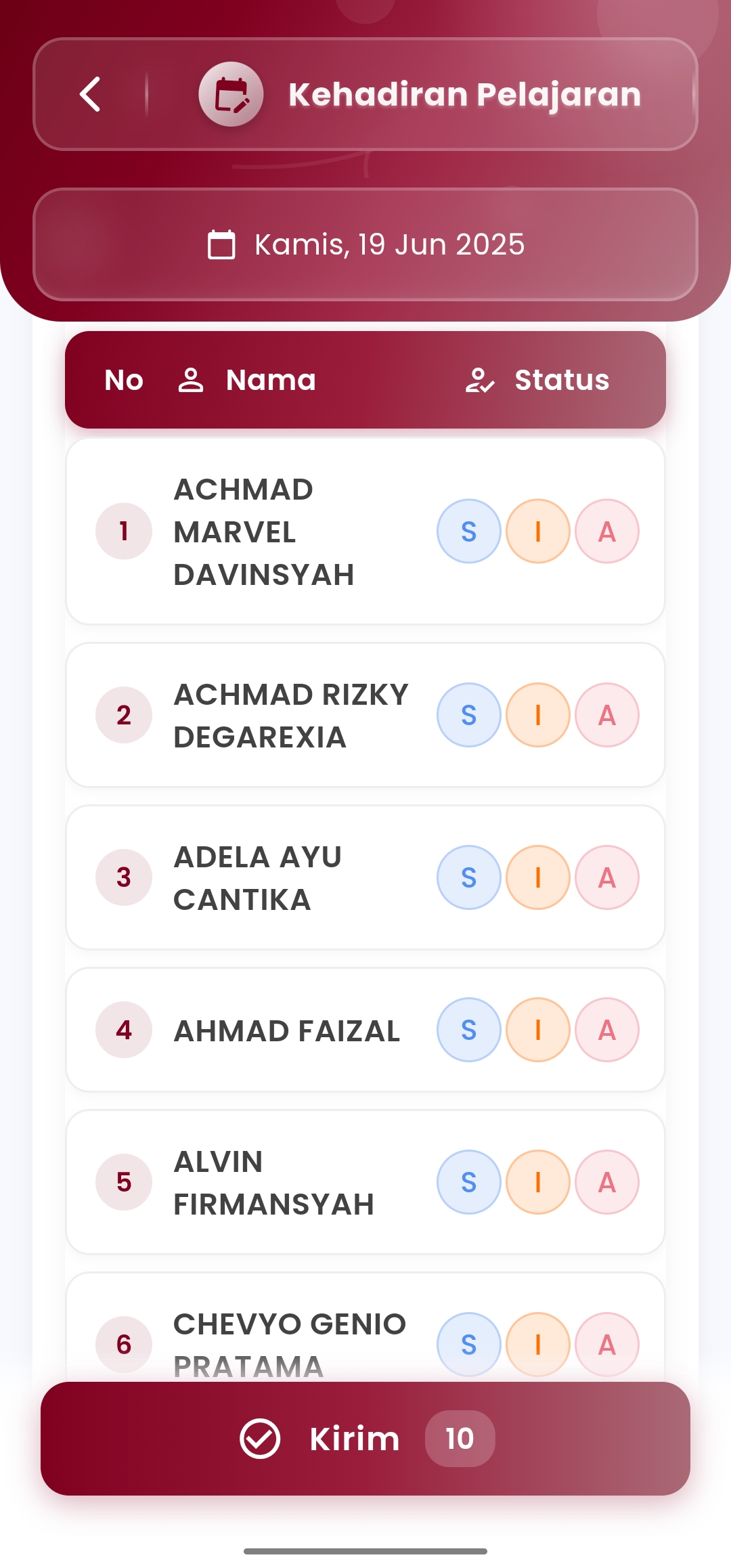
The student attendance table displays student names along with attendance status recorded when the lesson took place. - “Send” Button
To upload or save attendance record results to the system centrally.
Benefits:
- Provide an overview specifically for attendance per lesson session
- Suitable for subject teachers who teach across classes
- Support tracking lateness, selective absenteeism, and academic coaching
- Can be used as a basis for participation grade recap or attitude assessment
Usage Tips:
- Record immediately after the session starts for data accuracy
- Use this menu as a complement to daily/homeroom teacher attendance reports
- This information is automatically connected to teacher recaps and academic reports
If you need further assistance, contact us through the eSchool Help Page.