
Online Exam Archive
Manage and Track Your Entire Digital Exam History with Ease
The Online Exam Archive menu is designed to provide quick and organized access to all exams that have been completed or are no longer active. Teachers can store, search, and restore archived exam data, as well as maintain order in long-term exam management.
Main Features
-
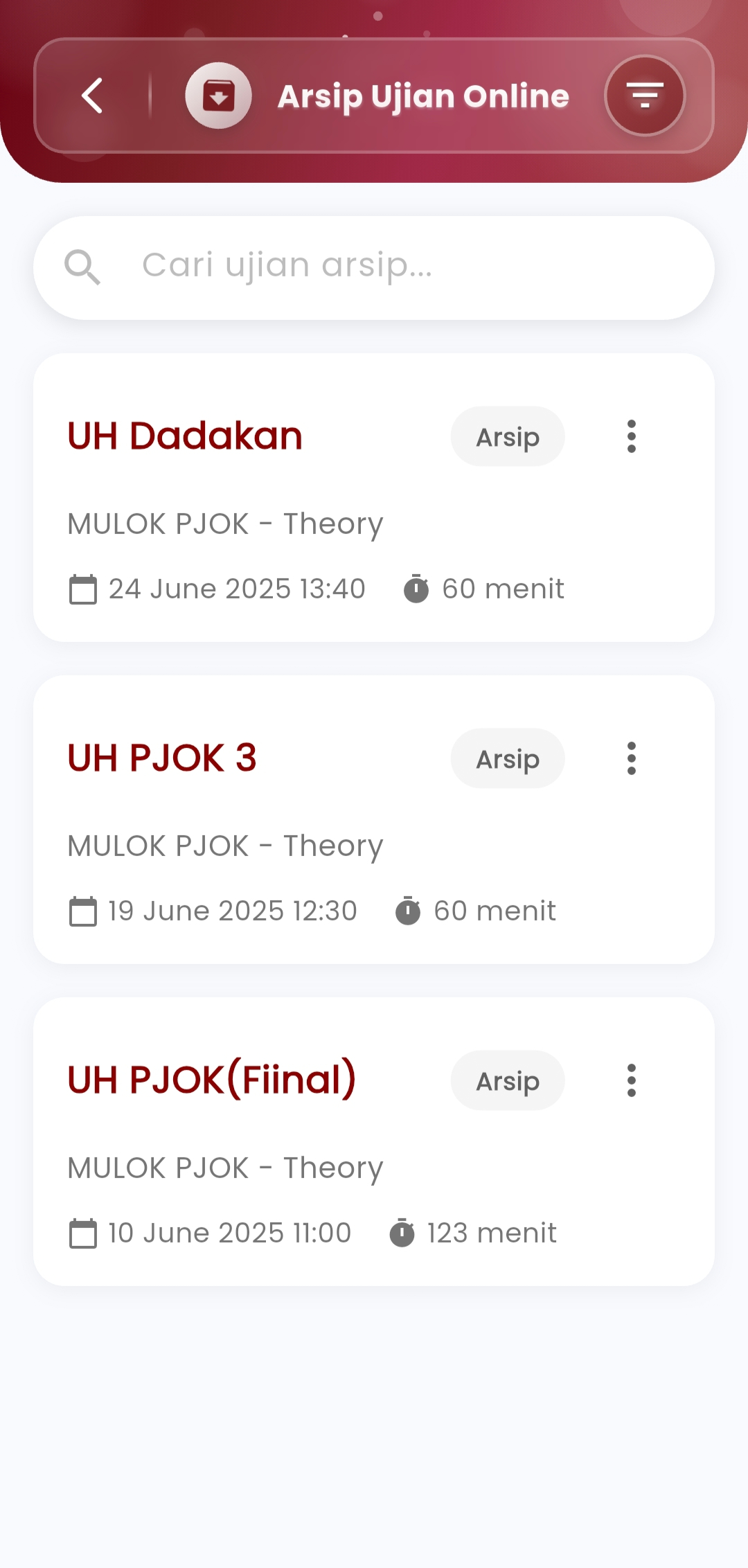
Search Archived Exams
Easily search for specific exams from the archive list using keywords for the exam name, subject, or date. This feature is very useful for tracking old exams that you want to access again.
-
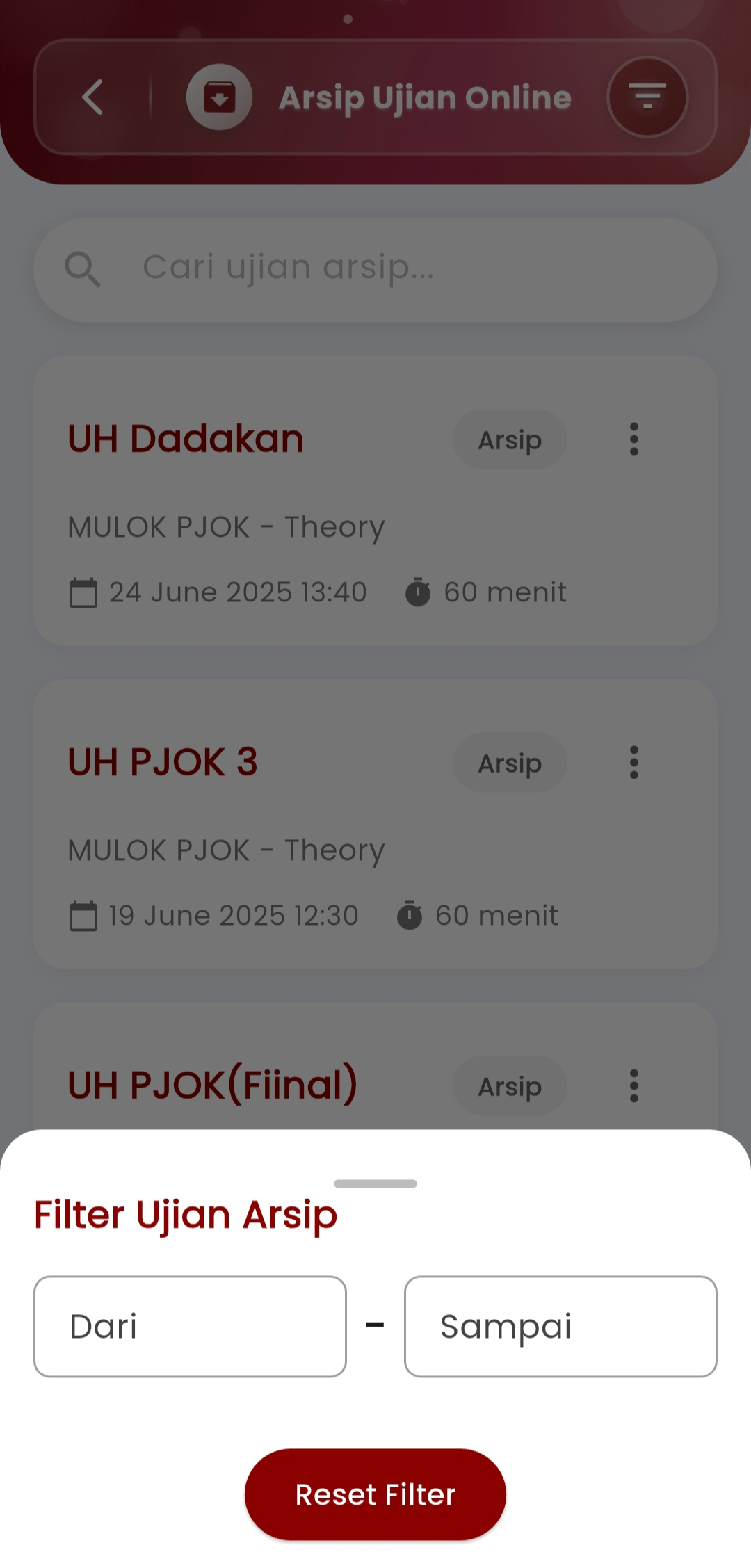
Archive Date Filter
Set a date range to display only exams that fall within a specific time period. This helps speed up searching when dealing with large amounts of exam data.
-
Flexibly Manage Archives
For each archived exam, users can:
- Restore Exam — Reactivate archived exams for editing or reuse.
- Delete Permanently — Thoroughly remove the exam from the system if it is no longer needed.
-
Stored Exam Information
Each exam appearing in the archive includes:
- Exam Title
- Subject & Category
- Implementation Date & Time
- Exam Duration (in minutes)
- Status Label: Archive
With a neat and informative display, teachers can review all essential details without having to open each item manually.
Benefits of Archiving
Saving exams to the archive not only helps with efficiency but also maintains data integrity and readiness if they ever need to be reused for reference, evaluation, or material adjustments.
If you need further assistance, contact us through the eSchool Help Page.